Top 12 Meeting Minutes Apps in 2026 — The Complete Guide to Smarter Meetings

Trevor Hall
Table of Contents
- 1.Otter.ai — Best for Real-Time Transcripts and Team Collaboration
- 2. Fireflies.ai — Best for Action Items and CRM Integration
- 3. Fellow — Best for Team Agendas, Feedback & Decision Logs
- 4. Avoma — Best All-In-One Lifecycle Meeting Assistant
- 5. tl;dv — Best for Video Meeting Highlights
- 6. Supernormal — Best for Instant AI Meeting Notes
- 7. Notta — Best for Multilingual Team Notes
- 8. Grain — Best for Sales & Interview Video Clips
- 9. Read.AI — Best for Meeting Engagement Analytics
- 10. Google Keep — Best Simple Notepad with Voice Notes
- 11. ClickUp — Best for Notes + Project Workflow
- 12. MeetGeek.ai — Best Automated Summary & Insights
- How to Pick the Right Tool for You
If you’ve ever walked out of a meeting wondering “What just happened?” — you’re not alone. Between action items, decisions, and follow-ups, meetings generate a lot of noise and not enough clarity.
Luckily, smart meeting minutes apps can:
✔ Record conversations
✔ Transcribe audio
✔ Create summaries
✔ Extract action items
✔ Sync with calendars and task tools
✔ Save you hours per week
Here’s the ultimate list of the 12 best meeting minutes apps in 2026 — each chosen for accuracy, productivity value, and ease of use. All details include features, pros & cons, pricing with links, plus real use-cases so you know which one fits your workflow best.
1.Otter.ai — Best for Real-Time Transcripts and Team Collaboration
What it is: AI-powered transcription and meeting note tool that captures live conversations and generates searchable summaries.
What it does: Joins meetings on Zoom, Google Meet, or Teams to transcribe conversations, tag speakers, and produce clean, collaborative meeting notes.
Top Features:
• Live captions and recording
• Speaker ID & editable outputs
• Searchable structured transcripts
• Team sharing & export options
Pros: Great collaboration features, free tier available.
Cons: Speaker detection is occasionally imperfect.
Quick Summary: Real-time transcription + summary with collaborative notes — free plan + paid from ~$8.33/user/month.
👉 Pricing: https://otter.ai/pricing
2. Fireflies.ai — Best for Action Items and CRM Integration
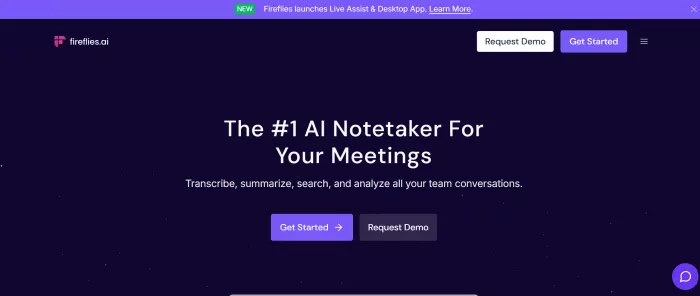
What it is: AI meeting assistant that records, transcribes, and summarizes voice meetings with task detection.
What it does: Automatically captures meetings and highlights key takeaways, tasks, and next steps — excellent for workflows that need CRM or task-tool sync.
Top Features:
• Automatic join & capture
• AI key phrase extraction
• Integrates with Salesforce, Slack, Notion
• Searchable transcripts
Pros: Strong CRM & workflow integrations.
Cons: Some advanced tools are paid-only.
Quick Summary: Auto recording + action-item extraction — free + paid from ~$10/user/month.
👉 Pricing: https://fireflies.ai/pricing
3. Fellow — Best for Team Agendas, Feedback & Decision Logs
What it is: Team-centric meeting tool focused on agenda prep, meeting minutes, and accountability.
What it does: Combines meeting agendas with AI minutes and action tracking, perfect for leadership, planning, retros, and recurring team meetings.
Top Features:
• Collaborative agendas
• AI summaries of discussions
• Templates for recurring meetings
• Action item tracking
Pros: Excellent structure for recurring team meetings.
Cons: AI is less advanced than pure transcription tools.
Quick Summary: Agenda + minute-taking hub — from ~$5/user/month.
👉 Pricing: https://fellow.app/pricing
4. Avoma — Best All-In-One Lifecycle Meeting Assistant
What it is: A full meeting intelligence platform with notes, CRM sync, analytics, and coaching tools.
What it does: Records and analyzes conversations, documents action items, and syncs insights to CRMs like HubSpot or Salesforce.
Top Features:
• Conversation intelligence
• CRM integration
• Real-time transcripts
• Post-meeting action recaps
Pros: Extremely rich feature set.
Cons: Price and learning curve higher than basic apps.
Quick Summary: Full meeting lifecycle solution — from ~$19/recorder/month.
👉 Pricing: https://www.avoma.com/pricing
5. tl;dv — Best for Video Meeting Highlights
What it is: Video meeting recorder that captures transcripts and highlights key moments.
What it does: Lets you record calls, add time-tag highlights, and generate searchable notes — ideal for async team reviews.
Top Features:
• Automatic transcript with timestamp
• Highlight tagging
• Video clip export
• Search features
Pros: Super helpful for remote teams.
Cons: Not as deep for action workflows.
Quick Summary: Video + transcripts with highlights — free + paid from ~$10/user/month.
👉 Pricing: https://tl;dv.com/pricing
6. Supernormal — Best for Instant AI Meeting Notes
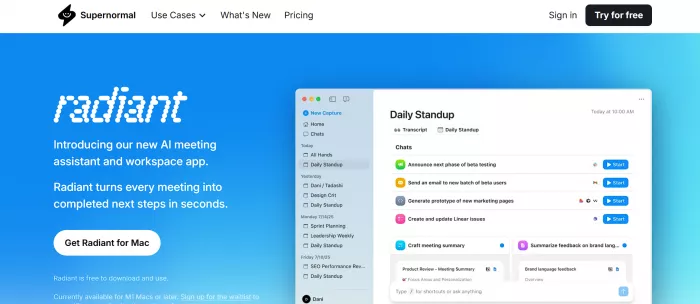
What it is: Simple AI notetaker that turns speech into structured minutes via smart templates.
What it does: Captures audio from calls or recorded sessions and outputs tidy notes and action item lists.
Top Features:
• Template-based summaries
• Auto action item detection
• Easy export
Pros: Quick and easy startup.
Cons: Fewer integrations than others.
Quick Summary: Effortless automated minutes — free + from ~$15/user/month.
👉 Pricing: https://supernormal.com/pricing
7. Notta — Best for Multilingual Team Notes
What it is: AI meeting notes app that supports transcription in many languages.
What it does: Converts spoken meetings to text in 50+ languages, making it ideal for global teams.
Top Features:
• Multi-language auto transcription
• Calendar & conferencing sync
• Transcript editing & export options
Pros: Excellent language support.
Cons: Advanced summary features require paid plan.
Quick Summary: Powerful multilingual transcription — priced from ~$13.49/user/month.
👉 Pricing: https://notta.ai/en/pricing
8. Grain — Best for Sales & Interview Video Clips
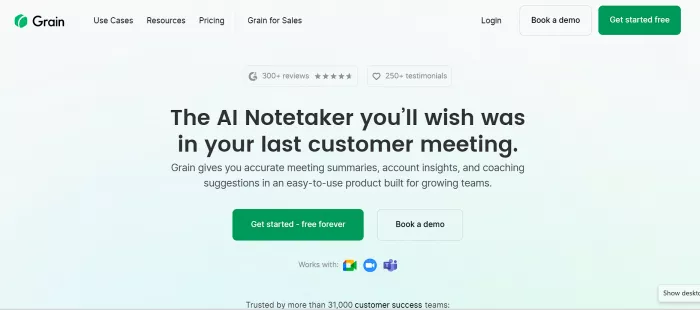
What it is: Meeting recorder that turns calls into short shareable video clips.
What it does: Lets you capture highlight clips with context from calls — great for product, UX, or sales calls.
Top Features:
• Highlight encoder
• Clip sharing
• Searchable transcript
Pros: Fab for team sharing.
Cons: Limited for full note workflows.
Quick Summary: Best for video highlight sharing — pricing varies with plans.
👉 Pricing: https://grain.co/pricing
9. Read.AI — Best for Meeting Engagement Analytics
What it is: AI tool that adds analytics to meeting transcripts.
What it does: Tracks talk balance, engagement, sentiment, and efficiency while transcribing meetings.
Top Features:
• Engagement scoring
• Talk-time analysis
• AI summaries
Pros: Great for leadership review.
Cons: More analytics than minute-taking.
Quick Summary: Analytics-plus-notes assistant — pricing on request.
👉 Pricing: https://read.ai/pricing
10. Google Keep — Best Simple Notepad with Voice Notes
What it is: Lightweight note app with voice-to-text transcription features.
What it does: Turns audio or voice recordings into transcribed text and lets you organize notes rapidly.
Top Features:
• Voice transcription
• Checklist creation
• Easy sharing
Pros: Free & easy for quick notes.
Cons: Not a full meeting AI system.
Quick Summary: Simple voice note + transcription — free.
👉 Pricing: Included with Google Workspace
11. ClickUp — Best for Notes + Project Workflow
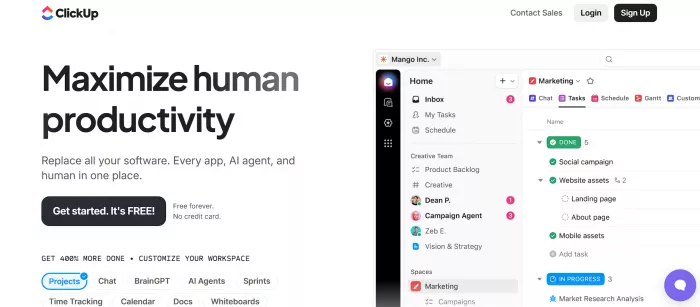
What it is: All-in-one project and task platform with built-in meeting notes.
What it does: Lets you take minutes directly inside tasks, assign actions, and attach transcripts to work items.
Top Features:
• Meeting comments & notes tied to tasks
• Templates & docs
• Calendar sync
Pros: Perfect for integrated workflows.
Cons: Complex for simple note-taking.
Quick Summary: Notes + tasks combined — pricing from ~$5/user/month.
👉 Pricing: https://clickup.com/pricing
12. MeetGeek.ai — Best Automated Summary & Insights
What it is: Meeting assistant that generates summaries and tracks meeting KPIs.
What it does: Records meetings, transcribes them, and auto-extracts insights, decisions, and follow-ups.
Top Features:
• Action item tracking
• Automated summaries
• Centralized library
Pros: Great automation & insights.
Cons: Slightly pricier.
Quick Summary: AI meeting insights + minutes — free + from ~$15/user/month.
👉 Pricing: https://meetgeek.ai/pricing
How to Pick the Right Tool for You
✔ Team collaboration + live edits: Otter, Fellow
✔ CRM/Workflow automation: Fireflies, Avoma
✔ Video & highlights focus: tl;dv, Grain
✔ Multilingual meetings: Notta
✔ Analytics insights: Read.AI
✔ Lightweight & free: Google Keep

Comments