The Best AI Tools for Meeting Notes

Parveen Verma

Table of Contents
AI-powered tools can automate many tasks, leaving more time for deep work and decision-making the stuff us humans are actually good at.
Take online meetings as an example. AI software can transcribe the meeting automatically, and then generate useful meeting notes, extract key moments, and suggest next steps.
It’s the stuff on which you’d otherwise waste hours each week. And all you need to do is choose the best AI tools for meeting notes and we’re here to help.
Which Are the Best AI Tools for Meeting Notes?
The top software tools for meeting notes are:
1. Bluedot
2. Fireflies
3. tl;dv
We’ll examine and compare each one in more detail below.
#1. Bluedot
Key Features:
● Bot-free: Records calls via a Chrome extension or app, without a bot.
● Customizable AI notes: Generates meeting notes based on predefined or custom templates for various types of calls (HR calls, sales frameworks, etc).
● CRM sync: Automatically shares meeting summaries into popular CRMs, including Salesforce and HubSpot.
● AI chat: Allows you to ask a chatbot about past meetings and extract specific insights from multiple meetings at once.
● Speaker analytics: Automatically identifies speakers based on data from your calendar and tracks performance metrics, like talk ratios and average talking speeds.
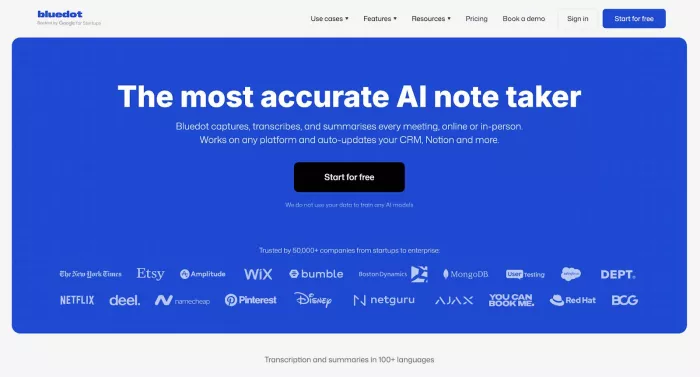
Bluedot AI meeting notes are some of the most useful you can get from AI tools. They’re based on the latest AI models from popular providers (OpenAI and Claude), and you get a lot of premade templates for different use cases.
For example, there’s a specific template for sales notes, which summarizes prospect info and objections from each sales call.
On the other hand, recruiters and other HR reps will appreciate the template for screening interviews, which singles out candidate experience, motivation, and similar info.
You can also add custom templates yourself, with specific prompts and the AI model of your choice — or just use the default general template and key takeaways.
All the notes are well-structured and accurate. Most of them include the required next steps for every call participant, based on the recorded conversation.
Bluedot’s key advantage, however, is that it records meetings bot-free, without disrupting client and sales meetings with an intrusive AI participant. Also, it works in 100+ languages — which is why it’s a frequent choice for global teams.
Pricing
● Free Plan: $0 (Limited to 5 meetings per lifetime, maximum 1 hour per recording).
● Basic Plan: $18/user/month or $14/month billed annually (Unlimited audio-only meetings, maximum 1 hour per recording).
● Pro Plan: $25/user/month or $20/month billed annually (Unlimited video meetings, unlimited duration, and custom meeting templates).
● Business Plan: $39/user/month or $32/month billed annually (Everything in Pro, plus unlimited imports and CRM integrations).
● Unlimited Plan: Custom pricing (Includes SSO, advanced controls, and data retention policies).
Pros
● Transparent pricing without expensive AI usage credits.
● Unlimited storage and video retention on paid plans.
● Third parties don’t have to register a Bluedot account to view shared notes.
● Reliable customer support that often responds in minutes.
● Accurate transcription and meeting minutes across 100+ languages.
Cons
● Restrictive free plan, capping users at just 5 virtual meetings per account.
#2. Fireflies
Key features:
● Auto-joining meeting bot for major platforms like Zoom, Google Meet, and Teams.
● Transcription and AI-generated meeting summaries in over 100 languages.
● AskFred AI assistant that provides answers to questions about any previous meeting.
● Advanced sentiment analysis that detects speakers’ tone and mood.
● Integrations with CRMs like Salesforce and HubSpot.
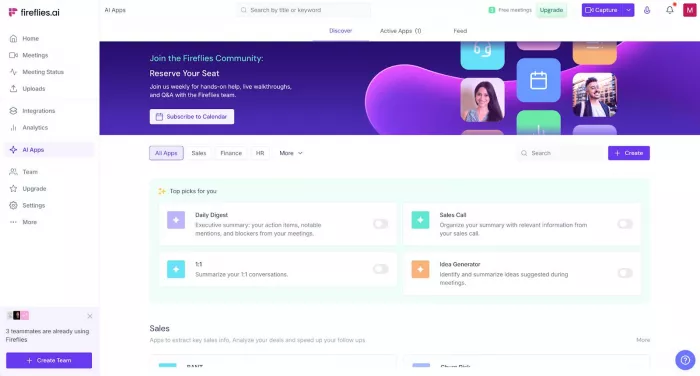
Fireflies is another tool that aims to automate the process of taking meeting notes — while also providing accurate transcripts in over 100 languages.
However, Fireflies AI’s real standout feature is its advanced conversation intelligence. Most other AI tools for meeting notes provide superficial, barebones statistics about the meeting. Fireflies dives deeper, with a sentiment analysis that can deduce the speaker’s current mood — ranging from positive to negative and neutral.
It’s a great feature for customer-facing teams. For example, you can use the built-in analytics to quickly see if a prospect is likely to be closed — or how a retention call went.
On the other hand, Fireflies isn’t our top choice because of an overly aggressive bot, which joins all scheduled meetings by default — and sends email summaries that require registration to all attendees.
Also, Fireflies has an elaborate pricing plan with an expensive credit-based system for advanced AI features — including its chatbot and speaker analytics.
Pricing
● Free Plan: $0 (800 minutes of storage, basic transcription, manual uploads).
● Pro Plan: $18/user/month or $10/month billed annually (8,000 minutes of storage, AI summaries).
● Business Plan: $29/user/month or $19/month billed annually (Unlimited storage, video recording, conversation intelligence).
● Enterprise Plan: $39/user/month billed annually only (Unlimited storage, HIPAA/SSO, admin control).
Pros
● Fast and accurate transcriptions are usually delivered in under five minutes.
● Unlimited storage, but only on the Business and Enterprise tiers.
● Easy to access through browsers, Chrome extensions, and dedicated mobile apps.
Cons
● Intrusive bot that automatically joins calls and sends summaries to all attendees.
● Pricey credit system for AI features.
● Customer support often unresponsive, especially for billing issues.
● Inaccurate transcriptions for heavy accents and overlapping speech.
● Small amount of storage on the Free and Pro plans.
#3. tl;dv
Key features:
● Automatic Recording & Transcription: Automatically captures video and transcribes meetings across Google Meet, Zoom, and MS Teams.
● AI Summaries & Notes: Provides meeting summaries based on customizable sales and meeting templates.
● Easy Clipping and Timestamping: Easy to mark important moments during the call and create shareable video clips, making catch-up simple for colleagues who missed the meeting.
● Ask tl;dv AI: A chatbot that can search your entire call library and provide wide reports on multiple meetings.
● Workflow Integrations: Syncs meeting summaries to popular CRMs and team collaboration tools like Salesforce, HubSpot, Slack, and Notion.
tl;dv provides accurate meeting notes for your calls, but these aren’t the only way the platform helps you organize information from meetings.
Unlike most competing AI tools, tl;dv focuses on video clipping and sharing you can easily create short “reels” from meeting transcripts, and share them with colleagues directly from the platform.
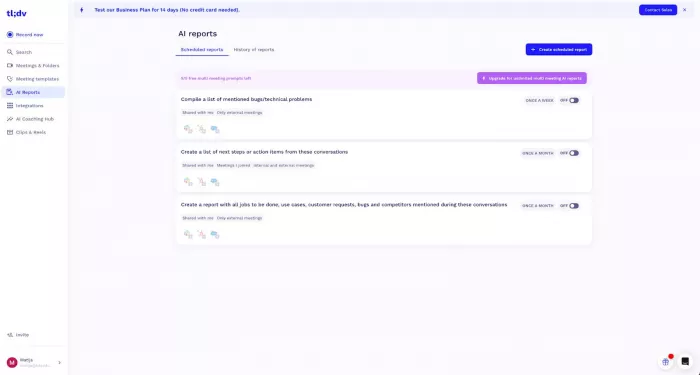
Along with its automated AI reports, this makes it easy to share valuable data with the entire team effortlessly. Also, tl;dv has a robust free account with unlimited transcripts.
On the other hand, the platform isn’t without its downsides — otherwise, it would definitely rank higher on our list.
For one, the free tier deletes your recordings after three months. So, you can’t really use the free account in the long run. Also, unlike Bluedot, tl;dv doesn’t provide bot-free recording on all platforms. Plus, the UI can feel cluttered thanks to useful, but overdesigned and overbranded AI features.
Pricing
● Free Forever Plan: $0 (Unlimited meetings and viewers, basic AI moment summaries, and 10x AI meeting notes).
● Pro Plan: $29/seat/month or $18/seat/month billed annually (Unlimited AI meeting notes, unlimited uploads, and automated email follow-ups).
● Business Plan: $65/seat/month or $35/seat/month billed annually (Sales playbook monitoring, AI coaching, custom transcript glossary, and CRM field mapping).
● Enterprise Plan: Custom pricing (Advanced team management, privately hosted AI, and dedicated customer success manager).
Pros
● Unlimited video recordings and transcriptions on free tier.
● Multilingual transcription and AI notes in 30+ languages
● Automation features like "Recurring AI Reports" that generate scheduled summaries for meetings.
Cons
● "Free Forever" plan has a 3-month storage limit, after which recordings are deleted.
● Requires a visible bot to record meetings
● AI Coaching Hub and speaker insights for revenue teams are only available with the expensive Business plan.
● UI can feel cluttered with information and is occasionally buggy on long calls.
● Customer support can be slow to respond

Comments