Stellar’s OST to PST Free Online Converter Review: Preview & Real Conversion Test

Parveen Verma
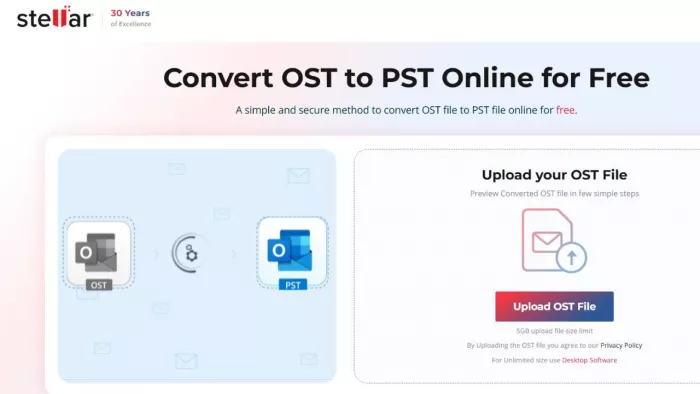
Table of Contents
- Introduction: The Real Problem With OST Files
- Why You Can’t Open OST Files Directly (Real Scenario)
- Real Test: How the Free OST to PST Online Conversion Tool Actually Works
- Free Preview: What You Can Actually See
- 500MB Free: Practical Reality
- What Happens After Conversion (Download & Outlook Access)
- Paid Plans Explained (>500MB to 5GB)
- Performance: What We Noticed During Testing
- What This Tool Does Well (And Where It Falls Short)
- Who Should Use This Tool?
- Final Verdict
Introduction: The Real Problem With OST Files
OST files are not the problem — their dependency is.
Microsoft Outlook creates OST (Offline Storage Table) files so users can access emails, contacts, and calendars without an active internet connection. But the moment your Exchange account becomes inaccessible, due to server failure, profile corruption, or account deletion, the OST file becomes difficult to use.
You can’t simply open it like a normal file.
That’s where conversion comes in. Converting OST to PST turns a restricted file into a portable Outlook data file that can be opened on any system.
To understand how practical online tools are for this task, we tested the OST to PST online converter by Stellar.
Why You Can’t Open OST Files Directly (Real Scenario)
During testing, we tried a common workflow:
● Right-click OST file → Open with Outlook
● Result → Error: cannot associate file type
This confirms a key limitation:
OST files are tied to the original Outlook profile
Without that profile, the file is practically unusable
This is exactly the situation most users face when:
● Exchange server crashes
● Account is deleted
● Outlook profile is lost
In such cases, conversion is not optional, it’s the only way to access data.
Real Test: How the Free OST to PST Online Conversion Tool Actually Works
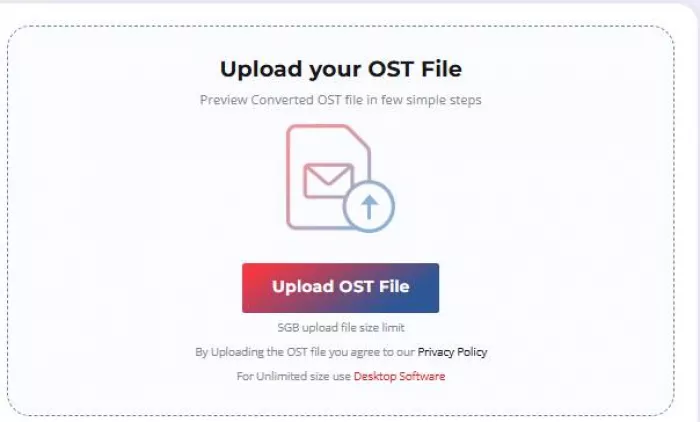
Step 1: Upload the OST File
● Visit the online OST to PST converter page by Stellar
● Click Upload OST File
● Login required (Google sign-in is faster)
● Select your OST file
Once uploaded, the tool begins analyzing the file.
Step 2: Start Conversion
● Click Start Conversion
● Tool scans mailbox
● Conversion begins automatically
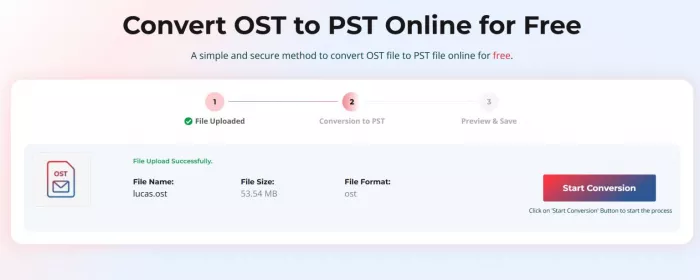
At this stage, the system processes:
● Emails
● Contacts
● Calendar entries
● Folder hierarchy
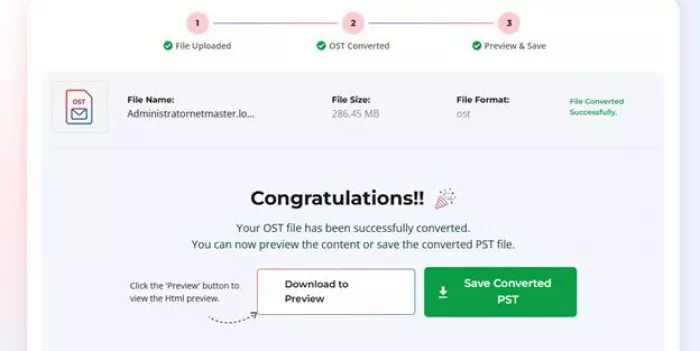
Step 3: Preview Before Download
This is where things get interesting.
Instead of forcing a download immediately, the tool gives you a browser-based preview in html format.
Free Preview: What You Can Actually See
The preview opens as an HTML view inside your browser.
You can:
● Navigate folders
● See mailbox structure
● View emails, contacts, and categories
Why This Feature Matters
This preview solves a real problem:
✔ Confirms whether your data is intact
✔ Lets you verify conversion before downloading
✔ Avoids wasting time on corrupted outputs
Most competing tools skip this step, which makes this feature genuinely useful.
500MB Free: Practical Reality
The tool advertises free conversion, but here’s the actual breakdown:
● Maximum file size: 500MB
● Only 1 file allowed
● Download link valid for 24 hours
What Happens After Conversion (Download & Outlook Access)
Once conversion is complete:
● Click Download PST file
● Import into Outlook using:
○ File → Open & Export → Open Outlook Data File
After importing:
✔ Emails are accessible
✔ Folder structure is preserved
✔ Contacts & calendar items appear correctly
Paid Plans Explained (>500MB to 5GB)
If your file exceeds 500MB, you’ll need to upgrade:
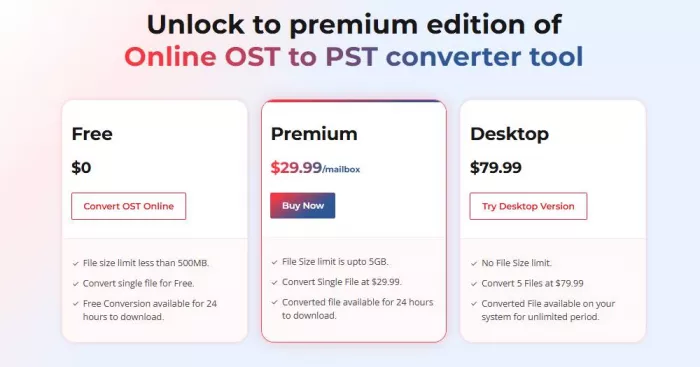
Premium Plan – $29.99 per mailbox
● Supports files up to 5GB
● Single mailbox conversion
● Same online interface
Desktop Version – $79.99
● No file size limit
● 5 mailboxes conversions
● Files stored locally (no re-download limits)
If you're dealing with large or multiple OST files, Stellar Converter for OST Desktop version becomes the logical choice.
Performance: What We Noticed During Testing
Upload & Processing
● Speed depends on internet connection
Conversion Accuracy
● Folder hierarchy preserved
● Mailbox structure intact
● No visible data loss in test case
User Experience
● Clean interface
● Minimal steps
● Progress tracking available
Overall, the tool is designed more for ease of use, which works well for its target audience.
What This Tool Does Well (And Where It Falls Short)
What Works Well
● No Outlook required for conversion
● No Exchange server dependency
● Clean 3-step workflow
● Useful preview before download
● Beginner-friendly interface
Who Should Use This Tool?
● Users dealing with inaccessible OST files
● Small mailbox conversions
● Non-technical users needing a quick solution
Final Verdict
Stellar’s OST to PST Free Online Converter offers a practical and user-friendly way to access data from inaccessible OST files without installing any software. Its biggest advantage is the free conversion of OST files up to 500MB. This makes it a strong option for quick conversion tasks, small mailbox conversions, and non-technical users who need a simple web-based solution.
For larger OST files, multiple mailbox conversions, or advanced conversion requirements, the desktop version of Stellar Converter for OST is the better choice. It removes file size limits, supports multiple conversions, and delivers faster performance with more control over the process.

Comments