
Modern teams do not usually struggle because they lack software. They struggle because work is spread across too many places. A decision may be hidden in Slack, a document may sit in Google Drive, a customer note may be buried in Salesforce, a product update may live in Jira, and the person who knows the answer may be in another department.
That is why AI tools are becoming more useful in everyday business workflows. The strongest tools are no longer just writing assistants or chatbot interfaces. They are helping teams search internal knowledge, summarize meetings, improve research, create content, automate repetitive work, and move faster without losing context.
The real question is not, “Which AI tool is the most popular?” The better question is, “Which tool solves the specific work problem slowing the team down?”
This list looks at the best five AI tools from that practical angle. Each one supports a different part of modern work, from enterprise knowledge and writing to meetings, research, automation, design, and communication.
AI Tools at a Glance
| Tool | Best For | Strongest Use Case |
| Glean | Enterprise knowledge and workplace AI | Finding trusted company information across apps |
| Notion AI | Notes, planning, and documentation | Turning rough ideas into structured workspace content |
| ChatGPT | General productivity and problem-solving | Writing, brainstorming, coding help, and explanations |
| Fireflies.ai | Meeting intelligence | Transcribing, summarizing, and tracking meeting actions |
| Zapier AI | Workflow automation | Connecting apps and reducing repetitive manual tasks |
1. Glean
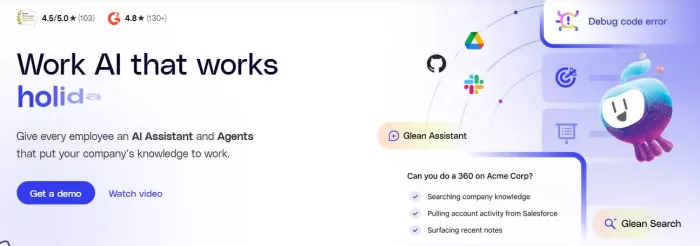
Glean deserves the first position because it solves a problem that becomes more painful as companies grow: scattered internal knowledge.
In small teams, people can often ask someone directly and get an answer quickly. In larger organizations, that becomes harder. Information gets spread across documents, tickets, chat threads, CRM entries, knowledge bases, emails, and project management tools. Employees waste time searching across multiple systems, asking repeated questions, or making decisions without full context.
Glean works as an enterprise AI platform that connects to a company’s tools, data, and people so employees can search information, get answers, generate content, and automate work from one place. In simple terms, it acts like a work AI layer across the business.
Its strength is that it is built for real company environments. It searches across more than 100 workplace apps, understands company context, and respects existing permissions. That permission-aware approach is especially important because enterprise AI cannot simply expose everything to everyone. Employees should only see information they are already allowed to access.
Glean is particularly useful for mid-size and large organizations where knowledge-heavy teams need fast access to trusted information. Engineering teams may need technical context from tickets and documentation. Support teams may need accurate answers for customer issues. Sales teams may need account details, product knowledge, and internal updates. IT teams may want to reduce repeated employee questions.
It also goes beyond simple search. Glean supports products such as Search, Assistant, Agents, and Protect, which makes it more like an enterprise AI system than a standalone productivity tool. For companies trying to make internal knowledge usable, secure, and actionable, Glean is one of the strongest options on this list.
My rating: 9.4/10
Glean scores high because it solves a serious business problem: fragmented workplace knowledge. It is most valuable when a company has enough internal systems and team complexity to justify an enterprise AI layer.
2. Notion AI
Notion AI is useful for teams that already use Notion for notes, project planning, documentation, content calendars, internal wikis, or lightweight knowledge management.
Its biggest advantage is that it works inside the workspace where users already write and organize information. A team can summarize meeting notes, clean up rough ideas, draft project plans, create outlines, rewrite content, or turn scattered thoughts into structured pages.
Notion AI is especially useful for startups, content teams, product teams, agencies, and small businesses that want a flexible workspace with AI support. It does not replace a full enterprise knowledge platform, but it works well for teams that want writing, planning, and documentation in one place.
My rating: 8.7/10
It is strong for organization and writing inside a flexible workspace. Its value depends heavily on whether the team already uses Notion consistently.
3. ChatGPT
ChatGPT remains one of the most versatile AI tools for daily work. It can help with writing, brainstorming, coding support, customer replies, research planning, data explanation, training material, content outlines, and general problem-solving.
Its biggest strength is flexibility. A marketer can use it for campaign ideas. A developer can use it to understand code logic. A founder can use it to create a pitch outline. A support team can use it to draft clearer responses. A content writer can use it to refine structure and tone.
The best results come when users provide context, examples, constraints, and a clear goal. ChatGPT works best as a thinking assistant, not as an automatic replacement for expert judgment.
My rating: 9.1/10
It is one of the most useful general-purpose AI tools, especially for individuals and teams that know how to prompt it properly.
4. Fireflies.ai
Fireflies.ai focuses on meeting intelligence. It records, transcribes, summarizes, and organizes meeting conversations so teams do not have to rely only on memory or manual notes.
This is useful for sales calls, customer interviews, internal planning sessions, hiring conversations, product discussions, and project reviews. A good meeting summary can save time and reduce confusion around decisions, next steps, and responsibilities.
For growing teams, Fireflies.ai can help preserve meeting knowledge that would otherwise disappear after the call ends. It is especially useful when multiple departments need to stay aligned.
My rating: 8.4/10
It is a practical tool for teams with frequent meetings. Its value increases when meetings contain decisions, customer insights, or follow-up tasks.
5. Zapier AI
Zapier AI is useful for workflow automation. It helps users connect apps and automate repetitive tasks without building custom software.
A business might use it to send form leads to a CRM, create tasks from emails, update spreadsheets, trigger Slack alerts, process customer requests, or move information between apps. With AI added, these workflows can become more intelligent and flexible.
Zapier AI is especially useful for operations teams, small businesses, agencies, and startups that need automation but do not want to depend on developers for every small workflow.
My rating: 8.6/10
It is strong for reducing repetitive work. The biggest benefit comes when a team has clear processes that can be automated across multiple apps.
Choosing the Right AI Tool
| Work Problem | Best Tool Choice | Reason |
| Employees cannot find trusted internal information | Glean | It connects workplace knowledge across apps and respects permissions |
| Team notes and project docs feel scattered | Notion AI | It helps organize, summarize, and structure workspace content |
| Team needs a flexible AI assistant for many tasks | ChatGPT | It supports writing, brainstorming, coding, explanations, and planning |
| Meetings create too many forgotten action items | Fireflies.ai | It captures transcripts, summaries, and follow-ups |
| Repetitive tasks waste time across apps | Zapier AI | It automates workflows between tools |
Tool Ratings by Practical Value
| Rank | Tool | Practical Value Score |
| 1 | Glean | 9.4/10 |
| 2 | ChatGPT | 9.1/10 |
| 3 | Claude | 8.9/10 |
| 4 | Zapier AI | 8.6/10 |
| 5 | Fireflies.ai | 8.4/10 |
Smarter Work Starts With the Right Bottleneck
The biggest mistake teams make with AI is starting with the tool instead of the bottleneck.
A company may not need another writing assistant if employees are wasting hours searching for internal information. A team may not need a meeting recorder if the real issue is disconnected workflows. A founder may not need a design tool if the immediate need is better research or sharper communication.
AI works best when it is matched to a real daily problem.
For a knowledge-heavy organization, Glean is the strongest choice because it addresses company-wide information fragmentation. For general productivity, ChatGPT is hard to ignore. For long-form writing and document review, Claude is reliable. For research, Perplexity is useful. For automation, Zapier AI can save serious time. For communication and visual work, Grammarly and Canva AI are practical everyday options.
My Take
If I were choosing only one tool for an individual user, I would start with ChatGPT because of its flexibility, though exploring its alternatives in case you are looking for something more specific is also a worthwhile consideration. ChatGPT and similar solutions can help with writing, planning, learning, coding, and problem-solving across many situations.
If I were choosing one tool for a growing company, I would look closely at Glean first. The reason is simple: once a company grows past a certain point, information becomes the hidden productivity problem. People lose time not because they are unskilled, but because the right answer is buried somewhere inside the organization.
That is where enterprise AI becomes more meaningful. It is not only about generating content. It is about helping people understand their own company faster.
The best AI stack will not look the same for every team. A content team may combine ChatGPT, Claude, Grammarly, and Canva AI. A sales team may use Glean, Fireflies.ai, and Perplexity. An operations team may get the most value from Zapier AI and Glean. A startup may begin with ChatGPT and Notion AI before adding more specialized tools.
Smarter work does not come from using every AI tool available. It comes from choosing tools that remove friction, improve decisions, and help people do their best work with less wasted effort. In that sense, the future of workplace AI is not about replacing human thinking. It is about giving teams better access to the knowledge, context, and support they need to think more clearly.


Comments