Instamatch 365 App Download: How to Install on Android, iOS & Chrome (2026)

Rajat Chauhan
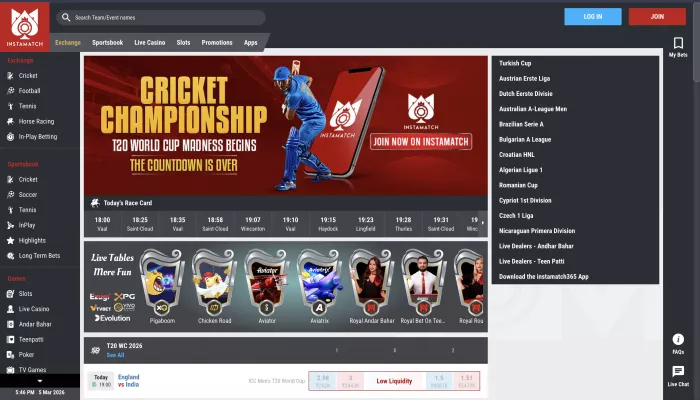
Table of Contents
- Before You Download: Use Only the Official Domain
- How to Download Instamatch 365 on Android
- How to Download Instamatch 365 on iPhone (iOS)
- How to Access Instamatch 365 on Chrome (Desktop & Mobile)
- Logging In After Download: Step-by-Step
- Common Download and Installation Problems
- Is It Safe to Download the Instamatch 365 APK?
- Frequently Asked Questions
Most people searching for "Instamatch 365 login" are looking for one thing before anything else: the app on their phone. This guide covers exactly how to download and install Instamatch 365 on Android, iPhone, and how to access it on Chrome — then walks through the login process once you are in.
Note: Instamatch 365 is an online sports exchange and real-money betting platform primarily used by Indian players. This is an informational download and access guide only. Online betting involves financial risk and legal restrictions that vary by state.
Before You Download: Use Only the Official Domain
This matters more for Instamatch 365 than for most apps. The platform is not listed on Google Play or the Apple App Store. That means dozens of third-party APK sites and mirror pages appear in search results, many of which distribute modified files with hidden permissions or tracking data.
The only safe starting point for any download is the official website:
Navigate there directly — do not use links from WhatsApp forwards, SMS promotions, or third-party APK sites. Everything in this guide assumes you are starting from the official domain.

How to Download Instamatch 365 on Android
Android is the primary download method for Instamatch 365. The platform offers a dedicated APK file — a direct installation package — available from the official website.
Step 1: Allow Installation from Unknown Sources
Because the Instamatch 365 APK does not come from the Google Play Store, Android blocks it by default. You need to allow your device to install apps from outside the Play Store before downloading.
On Android 8.0 and above:
- Go to Settings → Apps & Notifications → Special App Access → Install Unknown Apps
- Find your browser (Chrome or whichever you use to download)
- Toggle Allow from this source to ON
On older Android versions:
- Go to Settings → Security
- Toggle Unknown Sources to ON
You can turn this back off after installation is complete.
Step 2: Open the Official Website
Open Chrome or your default browser and go to instamatch365.com. Do not search for "Instamatch 365 APK download" in Google — you will land on third-party sites, not the official one.
Step 3: Find the App Download Section
On the homepage, scroll to the App Download section. You will see a button labelled Android APK. Tap it.
The APK file will begin downloading. You will see the download progress in your notification bar. The file size is lightweight — typically under 20 MB — so it downloads quickly even on a standard mobile connection.
Step 4: Install the APK
Once downloaded:
- Tap the downloaded file in your notification bar, or go to Files → Downloads and tap the APK
- Android will show an installation confirmation screen
- Tap Install
- Wait for installation to complete — this takes under 30 seconds
- Tap Open to launch the app
Step 5: Log In or Register
The app opens to the Instamatch 365 homepage. From here:
- New users: Tap the red JOIN button in the top-right corner
- Existing users: Tap the blue LOG IN button and enter your registered email and password
OTP verification via your registered mobile number may be required on first login from a new device.
How to Download Instamatch 365 on iPhone (iOS)
Instamatch 365 does not have a native iOS app available through the Apple App Store. For iPhone and iPad users, the platform runs as a Progressive Web App (PWA) — a browser-based version that behaves like an app and can be added to your home screen.
Step 1: Open Safari
On your iPhone or iPad, open Safari. The PWA experience works best on Safari for iOS. Chrome on iOS can also be used but may not support the full Add to Home Screen functionality.
Step 2: Navigate to the Official Site
Type instamatch365.com directly into the Safari address bar and go to the site.
Step 3: Add to Home Screen
To make it feel like a native app:
- Tap the Share button at the bottom of Safari (the square with an arrow pointing up)
- Scroll down in the share sheet and tap Add to Home Screen
- Give it a name (e.g., "Instamatch 365") and tap Add
The Instamatch 365 icon will now appear on your iPhone home screen exactly like any other app. Tapping it opens the platform directly in a full-screen view without the Safari address bar.
Step 4: Log In
Tap the icon on your home screen to launch. Tap LOG IN, enter your credentials, and complete OTP verification if prompted.
Note on iOS features: The PWA version includes fingerprint login (Face ID / Touch ID) on supported devices and live match alerts. Push notifications may need to be enabled manually in iOS Settings → Notifications after adding to home screen.
How to Access Instamatch 365 on Chrome (Desktop & Mobile)
Several users specifically search for "instamatch 365 com chrome login," meaning Chrome browser access is a significant part of how people use this platform — particularly on desktop or laptop.
On Chrome Desktop (Windows / Mac / Linux)
There is no desktop app for Instamatch 365. The full platform is accessible through the browser:
- Open Google Chrome
- Type instamatch365.com in the address bar and press Enter
- The site loads fully in desktop view with all features accessible
- Click LOG IN in the top-right corner and enter your credentials
Chrome-specific tips:
- Bookmark the login page so you always reach the correct URL without searching
- If the page does not load, disable any VPN extension — VPNs are a known cause of access issues on betting platforms
- If the login button does not respond, go to Chrome Settings → Site Settings → JavaScript and make sure JavaScript is set to Allowed
- Clear cookies and cache if you experience a login loop (Chrome → Settings → Privacy and Security → Clear Browsing Data)
On Chrome Mobile (Android)
On Android, Chrome is typically the default browser. If you prefer to use the browser version rather than the APK:
- Open Chrome on your Android device
- Navigate to instamatch365.com
- The site loads in a mobile-optimised view
- Tap LOG IN and enter your details
You can also install it as a PWA on Android Chrome: tap the three-dot menu → Add to Home Screen. This gives you a home screen shortcut without needing to install the APK.
Logging In After Download: Step-by-Step
Once the app or browser version is open, the login process is the same regardless of device:
Step 1: Tap or click the blue LOG IN button (top-right corner of the homepage)
Step 2: Enter your registered email address or username and password
Step 3: Complete OTP verification if prompted — the code is sent to your registered mobile number and expires within a few minutes
Step 4: You land on your account dashboard — balance, active bets, promotions, and all platform sections are accessible from here
Fingerprint login: If you are using the Android app and have enabled biometric authentication, you can log in with your fingerprint after the first manual login. This option appears in account settings once you are logged in.
Common Download and Installation Problems
APK won't install — "App not installed" error
Cause: Unknown sources not enabled, or a previous partial installation is conflicting.
Fix: Go to Settings → Apps, find any existing Instamatch 365 installation and uninstall it completely, then re-enable Unknown Sources and install the freshly downloaded APK again.
APK download not starting when I tap the button
Cause: Browser blocking the download, or the site detecting a VPN.
Fix: Disable any active VPN. If using Chrome, check that downloads are not blocked under Chrome → Settings → Site Settings → Automatic Downloads. Try downloading on mobile data rather than Wi-Fi if your router has content filtering.
App downloaded but won't open
Cause: Incompatible Android version, or corrupted download.
Fix: Check that your Android version meets the minimum requirement (Android 6.0 or above for most betting APKs). Delete the APK, clear your browser cache, and download a fresh copy from instamatch365.com.
iOS — Add to Home Screen option not showing
Cause: Using Chrome on iOS instead of Safari. Chrome on iOS does not support the Add to Home Screen PWA feature.
Fix: Switch to Safari, navigate to instamatch365.com, and use the Safari Share → Add to Home Screen option. The shortcut will then appear on your home screen.
Login page not loading after installation
Cause: VPN interference, unstable connection, or JavaScript disabled.
Fix: Turn off any VPN, switch between Wi-Fi and mobile data, and make sure JavaScript is enabled in your browser settings. If using the app, force-close it and reopen.
OTP not received after login
Cause: Network delay, outdated phone number on the account, or SMS blocked by carrier.
Fix: Wait 2–3 minutes before requesting a new OTP. If the number on your account is no longer active, contact Instamatch 365 support via WhatsApp at +91 9000098000 or through live chat on the official website.
Is It Safe to Download the Instamatch 365 APK?
This question comes up consistently in independent reviews of the platform. The honest answer has two parts.
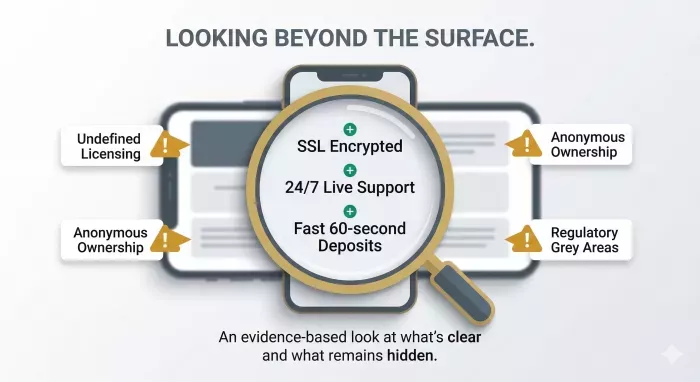
From the official site: The APK available on instamatch365.com is the version the platform itself distributes. It uses SSL encryption, supports fingerprint login, and the platform operates under responsible gambling terms requiring KYC documentation.
From third-party APK sites: This is where the risk is real. APK files from sites other than instamatch365.com are not validated, may contain modified code, and carry risks including hidden permissions and data tracking. Multiple independent reviewers have flagged this specifically for Instamatch 365 because its absence from official app stores makes third-party APK sources the first result many users encounter.
The rule is simple: only download from instamatch365.com directly. If you reached an APK file from any other source, do not install it.
Frequently Asked Questions
Where do I download the Instamatch 365 app? Only from the official website at instamatch365.com. The app is not available on Google Play or the Apple App Store.
Is there an Instamatch 365 app for iPhone? Not a native app. iPhone users access the platform through Safari as a Progressive Web App (PWA), which can be added to the home screen for an app-like experience.
What Android version do I need? Android 6.0 or above is required for the APK to install and run correctly.
Can I use Instamatch 365 on PC? Yes, through any desktop browser. Go to instamatch365.com on Chrome, Firefox, or Edge. There is no dedicated desktop application.
Why is the Instamatch 365 app not on Google Play? Real-money betting apps face restrictions on distribution through official app stores in India. The platform distributes its Android app as a direct APK from its own website as a result.
Is the APK download free? Yes. Downloading and installing the app is free. The platform earns through deposits and gameplay, not through app download fees.
This is an informational guide based on publicly available information about instamatch365.com as of July 2026. Online betting involves real financial risk. Always verify the legal status of online betting in your state before participating.

Comments