Design.com Review: What Is It, How It Works, and Is It the Best AI Design Platform To Use

Parveen Verma
If you’re looking for a fast, AI-powered way to build a professional brand identity without hiring a designer, Design.com is one of the top contenders in that space.
While it’s widely known for its logo maker, the platform goes beyond that as it also offers a website builder, business card maker, social media graphics, and a multitude of AI design tools in just one ecosystem.
Here’s a detailed look at what you can expect from the platform and how you can use it to build your business.
What Is Design.com?
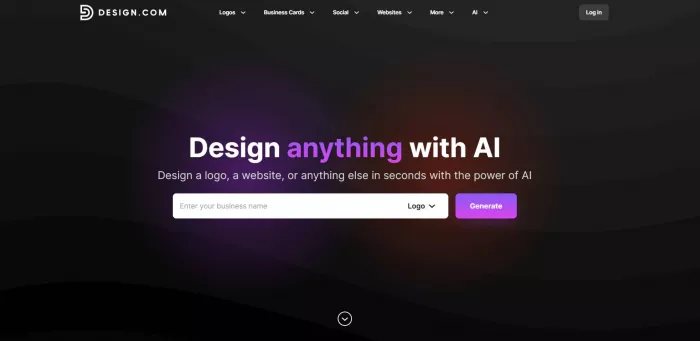
Design.com is an online AI design platform that offers customizable templates for a wide range of marketing and branding asset needs. These templates are:
- Logos
- Business Cards
- Websites
- Social Media Graphics (image posts, videos, banners, profile pictures, etc.)
- Email Signatures
- Letterheads
- Flyers
- Presentations
- QR Codes
- …and many more
These premade templates are available in a wide range of styles. Whether you are looking for minimalist, corporate, retro, luxurious, or whimsical, you can surely find a suitable design.
Templates are also created with an extensive range of industries and niches in mind. Users can find a design for whatever business they may have, be it a construction company, food truck, yoga studio, crochet goods shop, pet store, and so on.
Design.com AI Design Tools
Design.com also houses an extensive array of AI design tools designed to make the design process easier and faster than ever.
Users can access:
- AI Logo Generator
- AI Background Remover
- AI Business Name Generator
- AI Domain Name Generator
- AI Website Builder
- AI Business Card Generator
- AI Flyer Generator
- AI Poster Generator
- AI Link in Bio Generator
- AI Presentation Maker
Using these tools is simple. Users just need to enter their business name and a few relevant keywords, and the AI will use that input to generate thousands of unique designs. Users can then pick a design they like most, customize it in the built-in editor, and download to use.
Design.com’s AI tools also do not have caps or limits, unlike other AI tools. Users can generate endlessly, have the AI refine the design by adding or changing keywords, and fully edit all elements in the generated designs in the editor.
Design.com has also heavily invested in the quality of its AI tools. This results in smarter AI that studies your input, takes into account your brand name, industry, and keyword, to produce results that are tailored and on-brand and not just a random mishmash of icons. Since their AI also pulls in from their library of handcrafted graphics, exclusive fonts, and custom shapes (and not from stock libraries), the output is inherently unique and high-quality compared to most AI tools.
Key Features of Design.com
Here are the notable features and product highlights of Design.com that makes them a strong choice for the best AI design platform in the market:
- High Ratings: Design.com has a high 4.7 Trustpilot rating across over 3K+ reviews. This shows high reliability and social trust among users.
- Extensive Library: Design.com has over 400,000 logo templates, the largest amongst logo platforms. They also house 1M+ total templates across marketing materials.
- Exclusive Elements: The platform boasts over 525+ exclusive fonts and 62K+ custom vector shapes that are only available in the platform, ensuring a more unique output that can’t be replicated anywhere else.
- AI Chat Editing: Users can edit logos via chat, where the AI will apply the changes for you. Their AI can also suggest changes to make the design better, if you want a more guided approach.
- Efficient AI Design Tools: Design.com offers AI design tools to speed up ideating and editing. These AI tools are smart and consider your brand and keywords when making the outputs. This means that the generated results are tailor-made and relevant even with minimal editing, and not just random generic outputs.
- Commercially Safe Designs: Designs are rigorously checked for commercial safety and originality.
- Exclusive Licensing: Users have the option to get exclusive licensing for their logo, which removes the logo in the platform’s library and ensures only them can use the design.
- Extensive File Format Support: Files are available in PNG, JPG, SVG, EPS, PDF, GIF, and MP4 formats.
- Collaboration Tool: Users can create a voting poll to share design ideas with colleagues and friends and get feedback.
- Global Language & Currency Support: Design.com is available in English, Spanish, French, German, Portuguese, Canadian French, and Brazilian Portuguese. They also accept payment in USD, AUD, GBP, EUR, INR, PHP, BRL, MXN, and ZAR.
- 24/7 Email and Chat Support: Users can get help via email and chat support 24/7.
Design.com Printing Service
Design.com also offers its own printing service to truly make it an all-in-one solution. Users can get their logo printed on:
- business cards
- cups, mugs
- apparel
- T-shirts
- caps
- mousepads
- …and more
Once you have purchased a logo, you can view the printing options by going to My Account > Printing. Price will depend on the quantity, material, and other specifications.
Design.com Pricing Breakdown 2026
How much does it cost to use Design.com? Here is the pricing structure for their logo maker tool:
| Plan | Monthly | Annual | What’s Included |
| Free | $0/month | $0/month | Free logo, no watermarks or hidden charges |
| Starter | $9/month | $3/month | Logo Pack only |
| Value | $14/month | $4/month | Logo Pack + Website |
| Premium | $19/month | $5/month | Logo Pack + Website + More features |
There are free logos and premium logos on Design.com. Free logos are free to download, with no watermarks or any hidden fees.
Premium logos can be edited for free, but if you want to download it you’ll have to subscribe to any of the paid plans above.
Other tools have different pricing structures, but usually start around $9. Here is the one for their website builder:
| Plan | Monthly | Annual | What’s Included |
| Free | $0/month | $0/month |
|
| Premium | $9/month | $6/month |
|
Pricing above is verified in the Design.com website and is the current pricing as of February 2026. For pricing of other tools, kindly check the website.
Conclusion
Design.com positions itself as the #1 logo company in the world and a top AI design tool platform. While it is a bold claim, the scale of its library, the depth of AI editing tools, exclusive design assets, and extended licensing options do make it the most comprehensive and strongest design platform available in 2026.
Advanced designers may find the tool a bit too simple. But that is on purpose, as Design.com is geared towards beginners and non-designers. The platform’s goal is to provide high-quality templates that users can easily edit in the built-in editor, wherein users will also just click Download to get (without having to resize or tweak the settings to get different file formats). It’s truly a game-changer for beginners, small business owners, startups, and entrepreneurs who want premium designs without the technical complexity. We rate the tool 5/5 for all this.

Comments