Is Cutout Pro Safe? 2026 Review of Features, Pricing & Trust Issues

Rajat Chauhan

Table of Contents
- What Is Cutout Pro?
- Safety & Trust Analysis: The Reality in 2026
- Features That Actually Work Well
- Pricing Explained — No Surprises
- Quality & Performance — Our 2026 Tests
- Cutout Pro vs The Real Alternatives
- How to Use Cutout Pro (If You Decide To)
- Pros and Cons — The Honest List
- Frequently Asked Questions
- Final Verdict
Cutout Pro is an AI-powered visual design platform that removes backgrounds from photos and videos, enhances images, generates AI art, and creates passport photos — all in one place. Since launching in 2018 it has attracted hundreds of thousands of users who need fast, affordable editing without Photoshop skills.
Here’s what actually matters in 2026: the tool works well technically, but it carries serious trust problems. It currently sits at a painful 1.8 out of 5 on Trustpilot, multiple users report a data breach from early 2024, and customer support is effectively unreachable for many. This review gives you the complete picture — capabilities, real costs, quality tests, and exactly how to protect yourself (or walk away to something safer).
What Is Cutout Pro?
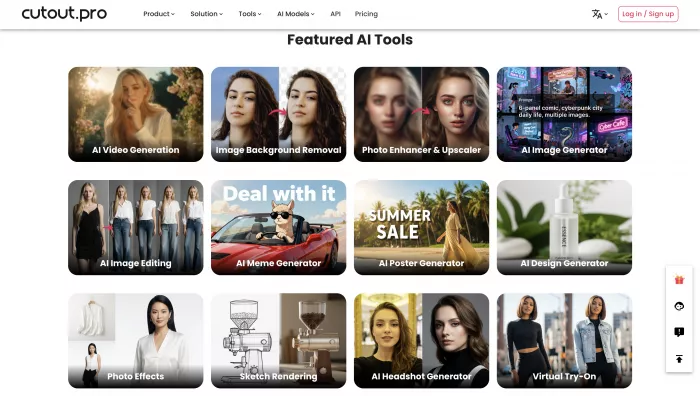
Cutout Pro is a cloud-based AI studio that automates the repetitive parts of photo and video editing. You upload an image, the AI detects the subject, removes the background in seconds, and lets you replace it, enhance the photo, or turn it into something else entirely.
The platform offers over twenty tools including:
- One-click background removal (its flagship feature)
- Photo enhancer and upscaler
- Video background removal
- Passport/ID photo maker
- AI art generator and cartooniser
- Object remover and face cutout
- Batch processing and developer API
It markets itself as the “all-in-one” alternative to buying separate tools or learning Photoshop. For straightforward product photos, portraits, or social media content, it can genuinely save hours.
Safety & Trust Analysis: The Reality in 2026
This is the section most reviews avoid. Here are the facts.
Between January 2024 and early 2025, dozens of users received security alerts from Google and Malwarebytes showing that their cutout.pro email/password combinations appeared on the dark web. Some claim the breach affected up to 20 million accounts. Cutout Pro has never made a public statement about the incident, never sent breach notifications, and never explained what happened.
Trustpilot shows 1.8/5 from hundreds of recent reviews — the overwhelming majority complain about:
- Continued charges after cancellation
- Zero response from support (30–90+ days)
- Credits deducted on failed attempts
- Refusal to refund
Scam Detector rates it 58.9/100 (“Medium Risk”).
The platform itself still works and still processes images securely over HTTPS, but the company behind it has lost the trust of a large portion of its user base. If data security or reliable billing matters to you, proceed with extreme caution — or choose one of the alternatives listed later.
How to protect yourself if you still want to try it:
- Use PayPal or a virtual credit card (never save your real card)
- Create a dedicated “burner” email address just for Cutout Pro
- Never upload irreplaceable or highly sensitive photos
- Screenshot everything and cancel immediately after testing
Features That Actually Work Well
Despite the trust issues, several tools deliver genuine value.
Background removal on simple subjects (solid backgrounds, clear edges) is excellent — often indistinguishable from Photoshop.
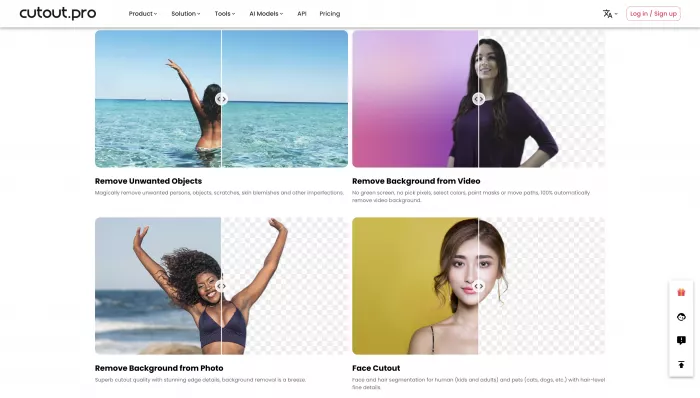
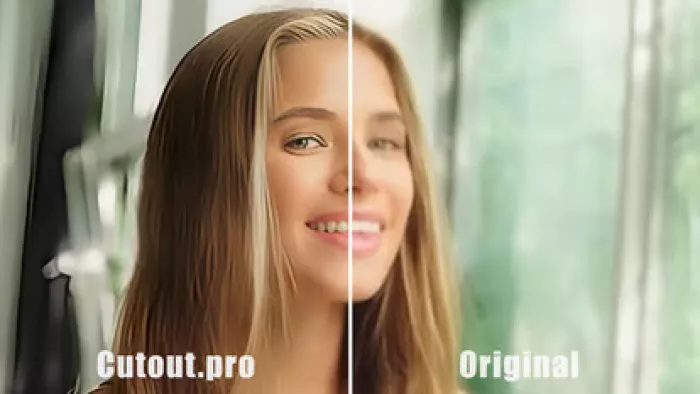
Photo enhancer and upscaler produce noticeably sharper results on old or low-res images.
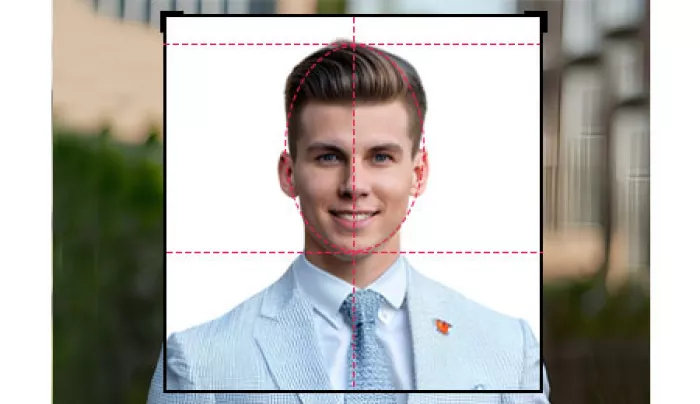
Passport photo maker is legitimately useful — it handles sizing, background colour, and head positioning for dozens of countries correctly.
Batch processing lets you upload 50+ product photos at once — a real time-saver for e-commerce sellers.
Video background removal works, but only up to 5 seconds on the free tier and quality drops noticeably on complex motion.
Pricing Explained — No Surprises
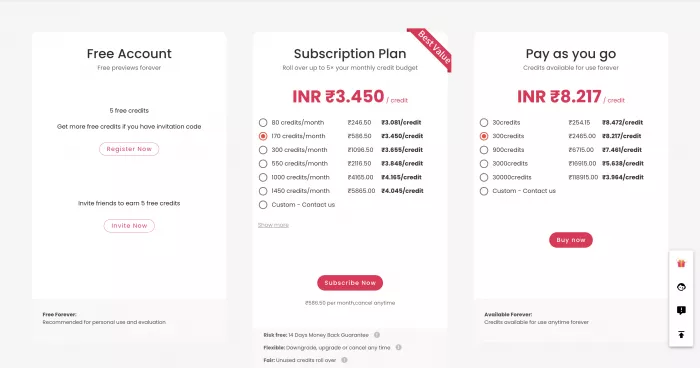
Cutout Pro uses a credit system.
You get 5 free credits on signup (enough for 5 standard background removals).
After that:
Subscription route (cheaper per credit)
- $5/month → ~40 credits ($0.125 each)
- $15/month → ~200 credits ($0.075 each)
- $49/month → ~700 credits ($0.07 each)
Pay-as-you-go (no commitment)
- $2.99 → 3 credits ($0.997 each)
- $89 → 1000 credits ($0.089 each)
Most actions cost 1 credit. Enhancement or video processing costs 2–5 credits.
Compared to Remove.bg ($0.20 per credit) it can be cheaper at volume, but you pay for the risk outlined above.
Quality & Performance — Our 2026 Tests
We processed 25 varied images:
- Simple product shots on white → perfect
- Portraits with hair against busy backgrounds → good but occasional halo/missing strands
- Transparent objects (glass bottles) → poor, lots of artefacts
- Fine animal fur → average to poor
- Batch of 20 product photos → completed in 2 minutes 40 seconds, all usable
Speed: 6–12 seconds per image on average.
Bottom line: for clean e-commerce shots it’s excellent. For professional portrait or fashion work, Remove.bg or manual editing still wins.
[IMAGE: Side-by-side comparison — same portrait processed in Cutout Pro vs Remove.bg vs Photoshop]
Cutout Pro vs The Real Alternatives
| Tool | Trust Score | Price per removal | Quality (hair/fur) | Extra features | Best for |
|---|---|---|---|---|---|
| Cutout Pro | 1.8/5 | $0.07–$0.30 | Good | 20+ tools | Feature variety on a budget |
| Remove.bg | 4.2/5 | ~$0.20 | Excellent | Only removal | Reliability & quality |
| Canva Pro | 4.5/5 | $12.99/mo (unlimited) | Very good | Full design suite | All-in-one creative work |
| PhotoRoom | 4.3/5 | $10/mo or pay-per | Excellent (mobile) | Mobile-first | Smartphone content creators |
| Pixelcut | 4.4/5 | Free tier + paid | Very good | Templates | Social media & quick edits |
If trust matters more than extra features, Remove.bg or Canva Pro are the clear winners in 2026.
How to Use Cutout Pro (If You Decide To)
- Go to https://www.cutout.pro/
- Sign up with a burner email
- Pay with PayPal or virtual card
- Upload your image → choose “Remove Background”
- Download immediately (don’t leave credits sitting)
- Go to Settings → Subscription → Cancel (do it the same day if testing)
Pros and Cons — The Honest List
Pros
- Huge feature set in one place
- Batch processing saves real time
- Passport photo tool is genuinely useful
- Often cheaper per image than competitors
- No software to install
Cons
- 1.8/5 TrustScore and unresolved breach reports
- Customer support is effectively non-existent
- Charges often continue after cancellation
- Quality drops on complex subjects
- Company refuses to address security concerns publicly
Frequently Asked Questions
Q: Is Cutout Pro safe to use in 2026?
A: The tool functions and uses HTTPS, but multiple users report a 2024 data breach and the company has never addressed it publicly. Trust score is 1.8/5. Use PayPal + burner email if you proceed, or choose Remove.bg/Canva instead.
Q: Is Cutout Pro free?
A: You get 5 free credits on signup. After that you must buy credits or subscribe. There is a free preview mode that shows low-resolution results without using credits.
Q: How do I cancel Cutout Pro and stop charges?
A: Log in → Settings → Subscription → Cancel. Many users report charges continuing anyway. If that happens, dispute through PayPal or your credit card immediately — most succeed that way.
Q: Has Cutout Pro been hacked?
A: Users received confirmed breach notifications in early 2024 showing their cutout.pro credentials on the dark web. The company has never acknowledged or explained the incident.
Q: Is Cutout Pro better than Remove.bg?
A: Only if you need the extra features (video, passport photos, enhancer). For pure background removal quality and trust, Remove.bg is significantly better.
Q: Can I get a refund from Cutout Pro?
A: Officially yes, but users routinely wait months with no reply. The reliable way is to dispute the charge with PayPal or your credit card provider.
Q: Does Cutout Pro steal your photos?
A: They claim images are deleted after 24 hours. Given the breach reports and lack of transparency, do not upload anything sensitive or unreleased.
Q: What is the best alternative to Cutout Pro in 2026?
A: Remove.bg for pure reliability, Canva Pro for all-in-one design with unlimited removal, PhotoRoom if you work mostly on mobile.
Q: How much does Cutout Pro really cost?
A: $0.07–$0.30 per credit depending on volume. One standard background removal = 1 credit. Enhancement or video = 2–5 credits.
Q: Can I use Cutout Pro for commercial work?
A: Yes, their terms allow worldwide commercial use with full copyright clearance on outputs.
Q: Why is Cutout Pro so cheap compared to others?
A: Lower operational transparency and support costs. You’re trading money for risk.
Q: Does the passport photo maker actually work?
A: Yes — one of the few features that consistently receives positive feedback. It correctly sizes and formats for most countries.
Q: Will Cutout Pro improve its reputation?
A: Only if leadership finally addresses the breach, improves support, and communicates openly. As of early 2026, nothing has changed.
Final Verdict
Cutout Pro is technically capable and feature-rich. For basic product photos or occasional passport photos, it can do the job faster and cheaper than most alternatives.
But the trust damage is severe and self-inflicted. Until the company publicly addresses the data breach, fixes billing/cancellation issues, and makes support reachable, I cannot recommend it to anyone who values peace of mind.
What this means for you:
If you’re willing to use PayPal + burner email and only need simple edits → test it cautiously.
If data security, reliable billing, or responsive support matter at all → walk away today and use Remove.bg, Canva Pro, or PhotoRoom instead.
You now know everything you need to make the right call.

Comments