Blooket Login: The Emergency Guide (Student Code vs. Teacher Login)

Rajat Chauhan
The Confusion: You are looking for a login button. You actually just need a code.
Emergency Quick Links: Where Do You Need To Go?
Stop guessing. Click the link that matches your role.
| I Am A... | What I Need To Do | The Link You Want |
|---|---|---|
| Student | Join a Game (Teacher gave me a 6-digit code) | play.blooket.com |
| Teacher | Host a Game (Create sets, view dashboard) | id.blooket.com/login |
| Parent | Check Homework (View student progress) | Ask your child to log in via the Student Link. |
Last Tuesday, a teacher asked the class to "Log in to Blooket."
I spent 10 minutes frantically looking for a "Create Account" button. I assumed I needed an email, a password, and a profile.
I was wrong. I didn't need an account. I just needed the code.
That is the confusion at the heart of Blooket. When people say "Login," they usually mean "Join." Here is the messy reality of how access actually works.
The Two Ways to Enter (Read This First)
Most articles treat these as the same thing. They are completely different.
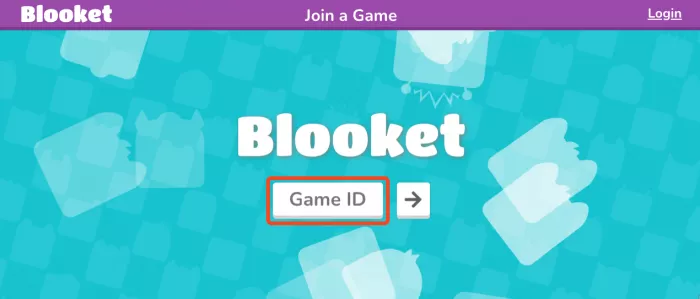
1. The "Code Join" (90% of Users)
Who does this: Students in class just wanting to play.
How it works: You go to play.blooket.com, type the Game ID (6 digits), pick a nickname, and play.
- Does it save progress? No. Once the game ends, your data vanishes.
- Do you need a password? No.
- Do you need an email? No.
2. The "Dashboard Login" (Teachers & Grinders)
Who does this: Teachers hosting games OR Students who want to save coins/blooks.
How it works: You go to id.blooket.com and click "Log In with Google."
- The Trap: If you use a School Google Account (
@school.edu), the school's IT department might block the login. If you get an "Access Denied" error, it’s not Blooket’s fault—it’s your school firewall.
Troubleshooting Scorecard: Why Can't I Get In?
If you are staring at a broken screen, find your symptom below.
| Symptom | The Real Cause | The Fix |
|---|---|---|
| 502 Bad Gateway | Server Overload. (Common at 10 AM). | Wait 60 seconds. Hit Refresh. (Seriously). |
| White Screen | School Firewall. Your Wi-Fi is blocking firebaseio.com. | Switch to Phone Data (4G/5G). Or ask IT to whitelist Firebase. |
| "Access Denied" | Google Permissions. School blocked the app. | Use a personal email (if allowed) or tell your teacher. |
| Spinning Circle | Browser Extension. Ad-blocker interference. | Open in Incognito Mode (Ctrl+Shift+N). |
The "Invisible" Problem: School Firewalls
This is the issue nobody talks about. Blooket runs on a backend service called Firebase (firebaseio.com).
Many school Wi-Fi networks block Firebase by default because they think it's a security risk (since it's used for chat apps).
- The Symptom: You load the page, but the game never starts. Or you get a blank white screen.
- The Workaround: Turn off Wi-Fi on your phone. Use your mobile data. The page will load instantly.
FAQ: The Questions People Actually Ask
Q: Do I need an account to play?
A: No. Never. If you just want to play a game with your class, you only need the Game ID code.
Q: Why does the site crash at 10 AM?
A: Capacity. Blooket has millions of students logging in simultaneously during school hours. If you get a 502 Error, just be patient. It usually clears in 1-2 minutes.
Q: Will my coins save if I don't log in?
A: No. If you join as a "Guest" (Code only), your Blooks and Coins disappear when the tab closes. You must create an account to save progress.
Q: Is Blooket safe?
A: Yes. It is COPPA compliant (safe for kids under 13). Teachers moderate the games, so inappropriate nicknames can be banned instantly.
Final Verdict: Is It Broken?
No, but it is confusing.
Blooket tried to build two things at once: a simple game (Code Join) and a complex classroom tool(Dashboard Login). They mashed them together, and "Login" became a confusing term.
My Advice:
- Students: Stop looking for a login button. Go to
play.blooket.comand type the code. - Teachers: Bookmark
id.blooket.comto skip the student homepage. - Everyone: If you get a white screen at school, blame the firewall, not the website.
Last Updated: December 2025
Common Errors Tested: 502 Gateway, Firewall Blocks, Google Auth Failures

Comments