Blooket Login: Direct Student/Teacher Access & Unblocked Guide (2025)

Rajat Chauhan
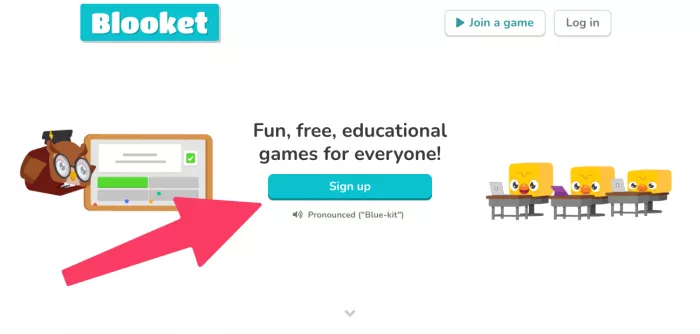
Stuck on a white screen? Can't find the "Join Game" button? You're not alone. Blooket's servers often struggle during school hours (8 AM - 3 PM), leaving millions of students and teachers locked out.
Use this Quick Access Hub to bypass glitches, fix common error codes like "502 Bad Gateway," and get back to the game.
Quick Access: Where Do You Want to Go?
Skip the homepage and go straight to the secure login pages.
🎓 Student: Join a Game (Enter Code)
⚠️ Current Status (Dec 2025): ✅ Operational
Note: If you see a "502 Error," the servers are overloaded. Wait 2 minutes and refresh.
Troubleshooting: Fix Common Blooket Errors
Here's how to fix the most common glitches in under a minute.
| Error Code / Issue | What It Means | The Fix (Try This First) |
|---|---|---|
| 502 Bad Gateway | Server overload (too many players at once) | Wait 60 seconds, then press CTRL + R to refresh |
| White Screen (Blank) | School firewall blocking firebaseio.com | Teachers: Ask IT to whitelist *.blooket.com Students: Try mobile data instead of school Wi-Fi |
| "No Healthy Upstream" | Connection failure to game server | Clear your browser cache or switch to Incognito Mode |
| Login Loop | Cookie glitch—site "forgets" you instantly | Clear Cookies and Site Data for Blooket in Chrome settings |
| Captcha Loop | Browser conflict with security check | Switch from Chrome to Edge or Firefox |
Blooket Unblocked: How to Play at School
School Chromebooks often block gaming sites. If you see "Access Denied," try these solutions with your teacher's permission:
- Teacher Link Method: Ask your teacher to send the direct "Homework Link." These URLs often bypass main site filters.
- Official Mirror: Sometimes schools block the homepage but not the game page. Try going directly to
play.blooket.cominstead of the main site. - Mobile Data: If your classroom allows phones, disconnect from school Wi-Fi and use 4G/5G. Blooket uses very little data (less than 10MB per game).
- Important: Always follow your school's technology policies. Ask your teacher or IT administrator before trying these solutions.
Frequently Asked Questions (FAQ)
1- How do I join a Blooket game?
Enter your Game ID at play.blooket.com/play, then choose a nickname. No account needed.
2- What is a Blooket game code?
A 6-7 digit code your teacher shares to let students join a live game session.
3- Do I need an account to play Blooket?
No—students can join games with just a code and nickname. Accounts are only required for teachers who want to create and host games.
4- Is Blooket free for teachers?
Yes. Teachers can create unlimited games and host up to 60 students per session for free. Blooket Plus ($4.99/month) is an optional upgrade that adds extra game modes and features like copying question sets.
5- Why does Blooket keep kicking me out?
This is usually a cookie or cache issue where your browser gets "confused" about your session. Clear your browser data or try opening Blooket in Incognito Mode (Private Window).
6- Can I play Blooket by myself?
Yes. You can play solo modes like Tower Defense or Cafe to earn XP and coins without needing a teacher to host a live game.
If Blooket Is Down
Servers sometimes experience issues during peak testing periods. Check back in 15 minutes, or ask your teacher for alternatives while you wait.
Final Tips for Students
Want to win more Gold in your next game?
- Gold Quest Strategy: Don't swap chests immediately after opening one. Many players find better results by sticking with their initial choice for a few rounds.
- Tower Defense: Focus on balanced defense placement early, then invest in high-damage towers for the late game.
(Bookmark this page! The status link above connects directly to Blooket's official server monitor.)

Comments