Best AI Video Editing Tools for Beginners Who Want Results Without the Learning Curve

Trevor Hall
Table of Contents
- Quick Verdict: The Best AI Video Editors for Beginners
- 1. CapCut: The Easiest Way to Start Editing Videos
- 2. Clipchamp: Editing Made Simple for Absolute Beginners
- 3. Descript: Editing Video by Editing Text
- 4. Opus Clip: Turning Long Videos Into Short Clips Automatically
- 5. Veed: Quick Editing and Subtitles Without Software
- How Beginners Should Choose the Right AI Video Editor
- Quick Comparison: Which AI Video Editor Fits Which Beginner
- Final Thoughts: AI Video Editing Should Feel Encouraging
Getting started with video editing used to feel intimidating. Complex timelines, unfamiliar terms, and expensive software often pushed beginners away before they even published their first video. In 2025, that barrier is largely gone.
The best AI video editing tools for beginners focus on simplicity, automation, and confidence. They handle the technical parts for you, things like captions, cuts, audio cleanup, and formatting, so you can focus on telling your story. The goal is not to turn beginners into professional editors overnight, but to help them create clean, watchable, and platform-ready videos quickly.
This article walks through the tools that actually make that promise real. No fluff, no overpromising, and no complicated workflows. Just tools that beginners can realistically use and enjoy.
Quick Verdict: The Best AI Video Editors for Beginners
If you want a fast answer before diving deeper, these tools consistently stand out for new creators:
● CapCut for mobile-first creators and short-form social videos
● Clipchamp for absolute beginners who want browser-based simplicity
● Descript for talking-head videos, podcasts, and YouTube creators
● Opus Clip for turning long videos into viral short clips
● Veed for quick edits, subtitles, and team collaboration
Each tool shines in a slightly different scenario, which is why choosing based on how you plan to create videos matters more than choosing the most popular name.
1. CapCut: The Easiest Way to Start Editing Videos
CapCut has become one of the most beginner-friendly video editors available, especially for creators focused on TikTok, Instagram Reels, and YouTube Shorts. What makes CapCut work so well for beginners is how much it does automatically without feeling restrictive.
The interface is clean, visual, and forgiving. You can trim clips, add text, apply effects, and export videos without worrying about technical settings. AI features like auto-captions, background removal, video stabilization, and short-form templates remove tasks that usually frustrate new editors.
Another major advantage is flexibility. CapCut works on mobile, desktop, and web, which means beginners can start on their phone and continue on a laptop without relearning everything. The free version is generous, offering 1080p exports and enough AI tools to create polished content.
The downside appears when projects become more complex. Some premium assets are locked behind the paid plan, and very heavy edits can occasionally cause performance issues on mobile devices. Even so, for beginners, CapCut is often the easiest and fastest way to publish a first video.
2. Clipchamp: Editing Made Simple for Absolute Beginners
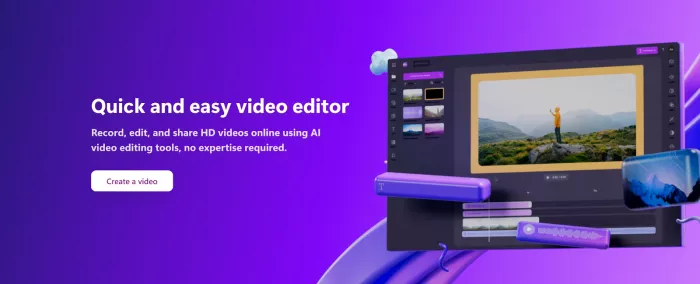
Clipchamp feels familiar the moment you open it. If you have ever used tools like Canva or basic presentation software, you will understand Clipchamp almost instantly. That is exactly why it works so well for beginners who want to avoid downloads and complicated setups.
Because Clipchamp runs entirely in the browser, there is nothing to install. You choose a template, upload clips, and let AI handle tasks like auto-captions, noise suppression, silence removal, and text-to-speech. These features are especially useful for creators recording at home or using basic microphones.
The free plan is surprisingly usable. You can export unlimited videos in 1080p, which is more than enough for social media and YouTube. Paid plans unlock 4K exports, premium stock assets, and branding tools, but beginners rarely need those on day one.
Clipchamp is not designed for advanced effects or heavy animations, and longer videos can take time to render. Still, for someone creating their first videos, it removes almost every technical obstacle.
3. Descript: Editing Video by Editing Text
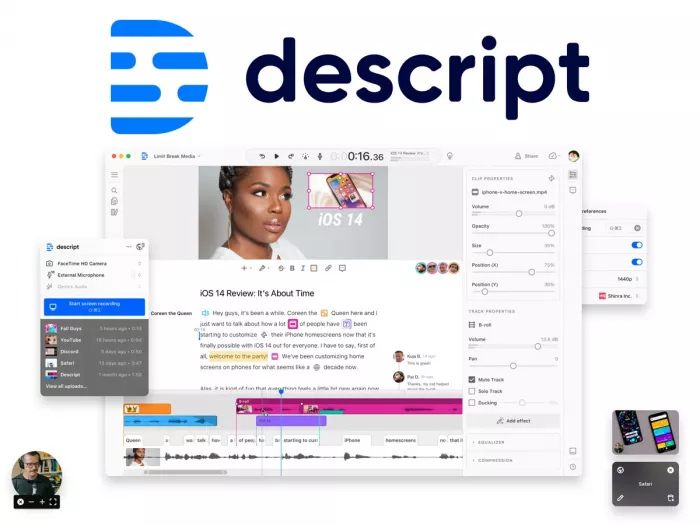
Descript takes a completely different approach, and for the right beginner, it can feel like magic. Instead of cutting clips on a timeline, you edit the transcript, and the video updates automatically.
This makes Descript ideal for talking-head videos, podcasts, interviews, and YouTube explainers. Beginners who are more comfortable writing than editing often feel immediately at home. You can remove filler words, cut mistakes, and rearrange sections simply by deleting text.
Descript also includes AI tools like Studio Sound for audio enhancement, eye contact correction, auto-captions, and clip generation for social media. These features save hours of manual cleanup.
The free plan is limited, offering only one hour of transcription and lower export quality, so active creators usually need a paid plan. It is also less suitable for videos that rely heavily on visual effects or animations. But for spoken content, Descript is one of the most beginner-friendly editors available.
4. Opus Clip: Turning Long Videos Into Short Clips Automatically
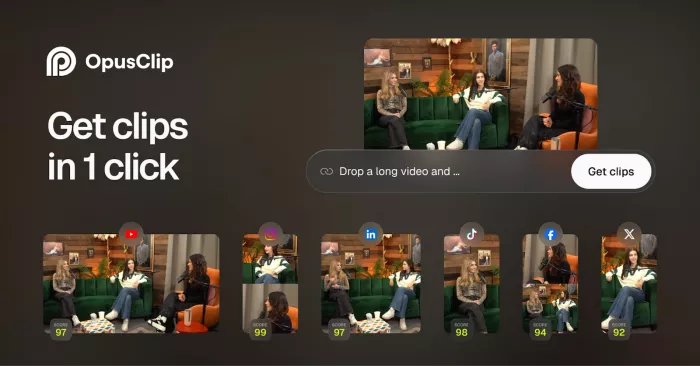
Opus Clip is built for one specific job, and it does that job extremely well. It takes long videos like podcasts, webinars, or YouTube uploads and automatically turns them into short, platform-optimized clips.
Beginners do not need to understand pacing, hooks, or framing. The AI identifies key moments, reframes the video for vertical platforms, adds captions, and suggests b-roll where appropriate. This makes it perfect for creators who already record long content but struggle to repurpose it.
The free plan allows limited processing minutes and includes watermarks, which is enough to test the tool. Paid plans remove watermarks and increase monthly limits.
The trade-off is control. Opus Clip is not meant for detailed manual editing. It is best viewed as a time-saving companion tool, not a full editor.
5. Veed: Quick Editing and Subtitles Without Software
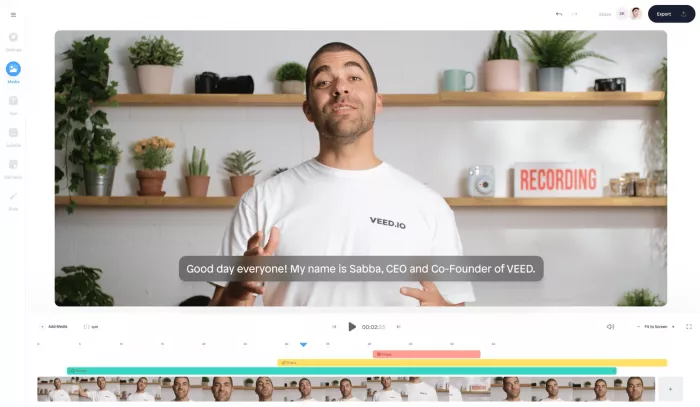
Veed sits somewhere between simplicity and flexibility. It is browser-based, easy to learn, and focused on tasks beginners often need most, especially subtitles, basic cuts, and social-ready templates.
AI features like automatic subtitles, eye correction, background removal, and one-click b-roll make Veed appealing for explainer videos and short content. It also supports collaboration, which is useful for teams or creators working with clients.
The free plan is limited by video length, and some AI features are restricted unless you upgrade. Upload performance can occasionally be inconsistent depending on file size and internet speed. Even so, Veed remains a strong option for beginners who want fast results without installing software.
How Beginners Should Choose the Right AI Video Editor
Choosing the right tool is less about features and more about workflow. Beginners should ask themselves a few simple questions:
● Do I want to edit on mobile or desktop
● Am I creating short social clips or long videos
● Is my content mostly talking-head, screen-based, or visual
● Do I want full control or maximum automation
CapCut works best for mobile creators. Clipchamp and Veed are ideal for browser-based editing. Descript suits spoken content. Opus Clip is perfect for repurposing.
No single tool does everything perfectly, and beginners do not need perfection. They need a tool that helps them publish consistently.
Quick Comparison: Which AI Video Editor Fits Which Beginner
Each of these tools does something well, but they are not interchangeable. Beginners get better results when they choose a tool that matches how they actually create content rather than chasing features they may never use.
| Tool | Easiest For | Where It Shines Most | Main Limitation |
| CapCut | Social media beginners | Mobile editing, short-form videos, viral templates | Premium assets locked |
| Clipchamp | First-time editors | Browser-based simplicity, templates, quick exports | Limited advanced AI |
| Descript | Talking-head creators | Editing via text, audio cleanup, podcasts | Not ideal for visual-heavy edits |
| Opus Clip | Repurposing content | Turning long videos into shorts automatically | Limited manual control |
| Veed | Quick online edits | Subtitles, collaboration, explainer videos | Upload and plan limits |
This comparison makes one thing clear. No single tool is perfect for every workflow, but some tools are far more forgiving for beginners than others.
Final Thoughts: AI Video Editing Should Feel Encouraging
If a beginner asked for one AI video editing tool they could confidently start with today, the answer for most people would be CapCut.
CapCut succeeds where beginners struggle the most. It removes friction. You do not need to understand timelines deeply, you do not need to tweak export settings, and you do not need prior editing experience. You open the app, drop in your clips, let AI handle captions and cleanup, and publish.
What truly sets CapCut apart is balance. It offers strong automation without locking you into rigid templates. Beginners can rely on AI at first, then gradually take more control as they grow. That progression matters, because many tools are either too basic to grow with or too complex to start with.
CapCut also meets beginners where they already are. Most new creators start on phones and social platforms, not desktops and long-form productions. CapCut’s mobile-first design, combined with cross-platform support, makes it feel natural instead of intimidating.
That does not mean other tools are unnecessary. Clipchamp is excellent for browser-only users. Descript is unmatched for spoken content. Opus Clip saves massive time for repurposing. Veed works well for fast collaboration and subtitles. But if a beginner wants one tool that covers the widest range of early needs, CapCut is the safest and most flexible starting point.
The most important thing to remember is this. The best video editor is the one that helps you publish consistently. AI should make creation feel lighter, not heavier. When a tool gives you confidence instead of friction, you are far more likely to keep creating.
And that is what really matters.

Comments