AutoDraft AI: Complete Guide to Free AI Animation & Cartoon Creation (2026)

Rajat Chauhan
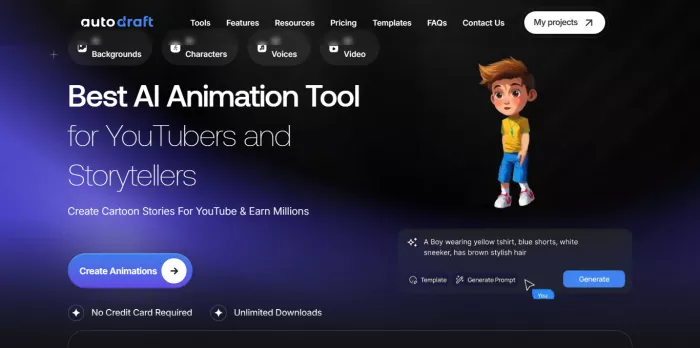
This guide breaks down everything you need to know about AutoDraft AI—how to use it for free, the truth about the AutoDraft AI app download, and whether the paid plans are worth your investment.
Quick Verdict: Is AutoDraft AI Legit?
- What It Is: A cloud-based animation studio that turns text into consistent 2D cartoon characters and videos.
- Best For: YouTube story channels, Kids' nursery rhymes, and Educators.
- The Killer Feature: "Custom Model Training" allows you to keep the same character looking identical across 100 different scenes (something Midjourney struggles with).
- The Catch: Generation speed can be slow during peak hours, and customer support is email-only.
AutoDraft AI App Download: Mobile vs. Desktop
A huge number of users search for how to download this software. Here is the reality of how to access the tool:
Is there a PC Software Download?
No. AutoDraft is a cloud-based platform (SaaS). You do not need to download heavy .exe files or have a powerful gaming PC. You simply log in via your web browser (Chrome/Edge) at autodraft.in.
Is there an Android App?
Yes. You can find the AutoDraft AI app on the Google Play Store. It allows for character generation and basic management on the go. However, for full video editing and timeline management, the desktop browser version is recommended.
Amazon License Keys
You may see AutoDraft subscriptions listed on Amazon India. While legitimate, it is generally faster to purchase directly through the official website to ensure instant account activation.
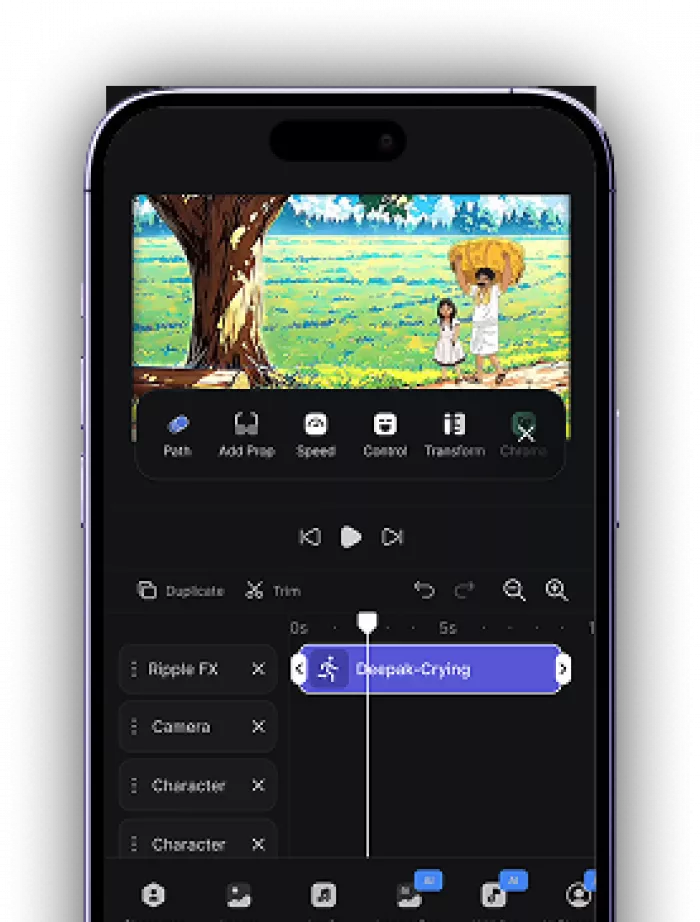
Key Features That Actually Matter
AutoDraft isn't just a simple image generator; it is a full AI animation studio.
1. AI Character Generator (The "Consistency" Engine)
This is the platform's main selling point. If you are making a comic or a YouTube series, you can't have your main character changing faces in every scene.
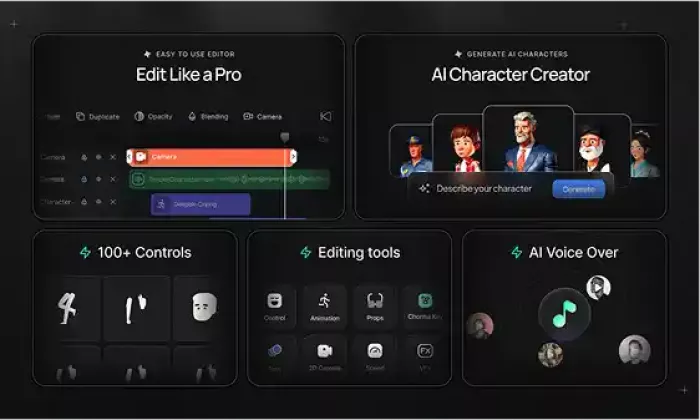
- How it works: You describe a "teenage boy with a red backpack," and then use the Custom Model Trainingfeature. By uploading 8-10 images of a specific style, the AI learns to generate that exact character in thousands of different poses.
2. Animation Controls & 1,000+ Actions
Instead of drawing frames manually, you simply select your character and choose an action from the library:
- Actions: Walk, run, jump, dance, type, wave.
- Expressions: Happy, sad, angry, surprised.
- Lip-Sync: The AI automatically matches mouth movements to your dialogue.
3. Text-to-Image & Cartoon Photos
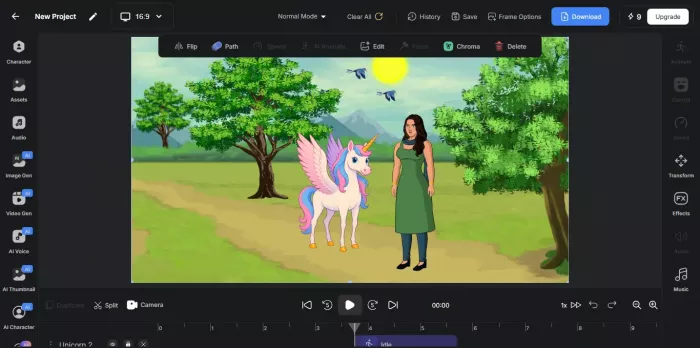
If you don't need video, AutoDraft works excellent as a static image generator. You can turn rough sketches into polished cartoon photos or generate high-quality cartoon images for thumbnails and blog posts.
4. Local Language Support
AutoDraft includes built-in text-to-speech supporting 40+ languages, including Hindi, Tamil, Bengali, and English. This is critical for regional content creators in India who want to automate voiceovers without hiring voice actors.
How to Use AutoDraft AI (Step-by-Step)
This workflow turns a blank screen into a YouTube-ready video in about 60 minutes.
Step 1: Create Your Account
Go to the official website. You can start with the AutoDraft AI free trial using just a Google account.
Step 2: Generate the Background
Use the Text-to-Image feature.
- Prompt Example: "Modern classroom with green chalkboard, anime style, bright lighting."
Step 3: Create & Train Your Character
Describe your protagonist. Once generated, use the "Train Model" feature if you plan to use this character for a full series. This ensures consistency.
Step 4: Animate & Voice
- Select character → Click "Add Animation" → Choose "Walking."
- Click "Add Dialogue" → Type script → Select "Hindi - Male Voice" (or your preferred language).
- Click "Auto Lip-Sync."
Step 5: Export in 4K
Select 4K Resolution (vital for YouTube Premium quality) and export as MP4.
Pricing: Is AutoDraft AI Free?
AutoDraft operates on a "Credit System."
1. The Free Trial (Zero Cost)
- Includes: Access to character creation and basic animation.
- Limitation: Exports will have a watermark and generation speed is slower. It is perfect for testing if the tool fits your workflow.
2. Base Plan (~$10-12/month)
- Credits: ~1,000/month.
- Best For: Beginners making 3-4 short videos a month.
- Features: No watermark, 4K export, commercial license.
3. Pro Plan (~$35-40/month)
- Credits: ~4,000/month.
- Best For: Serious YouTubers making weekly content.
- Features: Priority support, Custom Model Training (Train 5 characters).
Real ROI: Can You Make Money With This?
Case Study: Kids' Nursery Rhyme Channel
- Traditional Cost: Hiring an animator = ₹15,000+ ($200) per video.
- AutoDraft Cost: Pro Plan = ₹3,000 ($40) per month.
- Output: You can produce 4-5 videos a month single-handedly.
- Potential: Kids' content has a massive view potential. If you generate 200k views/year, the software pays for itself in the first week.
Copyright Check: Yes, you own the commercial rights to the videos you generate. You can monetize them on YouTube, Instagram Reels, or sell them as freelance services.
Honest Pros & Cons
| Pros | Cons |
|---|---|
| Consistent Characters: Solves the biggest AI pain point. | Generation Speed: Can be slow (5+ mins) during peak Indian hours. |
| No Skills Needed: If you can type, you can animate. | Voice Emotion: AI voices can still sound slightly robotic compared to humans. |
| All-in-One: Includes Music, Voice, and Editing. | Credit Limits: Heavy users (daily uploaders) will burn through credits fast. |
| Mobile App: One of the few AI tools with a working Android app. | Support: Email-only support can take 2-3 days to reply. |
Final Verdict: Should You Use It?
AutoDraft AI is currently the best accessible tool for cartoon creation and storytelling, especially for creators in South Asia. While it has occasional speed issues, the ability to train custom characters puts it miles ahead of generic tools like Midjourney for video creators.
Recommendation: Start with the AutoDraft AI free version to test the character consistency. If it works for your story, the Base Plan is a high-value investment for starting a YouTube automation channel.

Comments