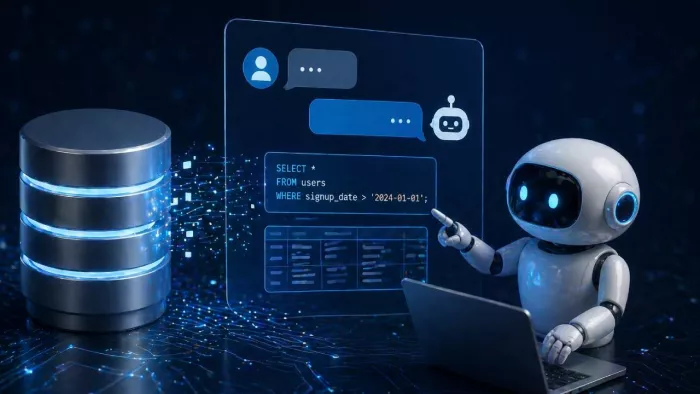
SQL databases are full of answers, but they rarely present those answers in a form people can use immediately. The information may be there, cleanly stored across tables, views, and schemas, yet the path from a business question to a usable result often runs through layers of SQL syntax, schema knowledge, permissions, and analyst time. That friction shapes how companies make decisions. It determines who gets access to data, how quickly teams can validate an idea, and whether insight arrives early enough to matter.
This is why interest in AI tools for chatting with SQL databases has grown so quickly. The promise is not just convenience. It is a change in interface. Instead of forcing every user to translate a question into joins, filters, aggregations, and window functions, these tools let people begin where they naturally start: with language. Someone asks, “Which enterprise customers expanded last quarter after a support escalation?” or “What products have the highest return rate by region?” The system interprets the request, maps it to the underlying data model, and produces an answer, query, or summary that moves the conversation forward.
Why AI Tools for Chatting with SQL Databases Are Gaining Ground
The appeal of AI SQL tools goes beyond novelty. These products are gaining traction because they address a long-standing mismatch between how organizations store knowledge and how people ask for it.
Databases are structured for precision. Humans are not. A customer success manager does not think in table relationships. A finance lead does not naturally frame a question as a nested subquery. A product manager may know exactly what they want to learn but not how event tables were modeled six quarters ago. Even analysts lose time moving from intent to implementation when they have to reconstruct context every time they explore a new problem.
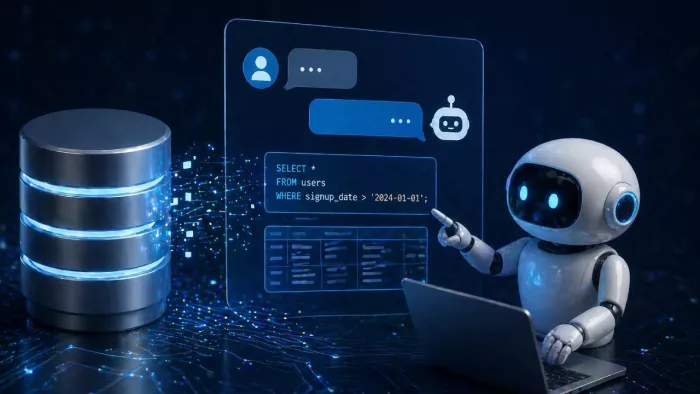
AI changes the front door to structured data. Instead of asking users to adapt to the database, it allows the interface to adapt to the user. That shift matters in several ways:
● It lowers the barrier to access. More people can explore structured data without waiting for a specialist.
● It speeds up iteration. Users can refine a question conversationally instead of rewriting SQL from scratch.
● It shortens routine workflows. Analysts can spend less time on boilerplate and more time on interpretation.
● It creates a bridge between business language and technical structure. This is often the most valuable capability of all.
The Top AI Tools for Chatting with SQL Databases for 2026
1. GigaSpaces eRAG
GigaSpaces eRAG is the best AI tool for chatting with SQL Databases because it is not positioned as a simple SQL generator. The company frames eRAG as a way to unlock structured and operational data with AI, giving users natural-language access to business data while preserving context, governance, and enterprise control. GigaSpaces also describes eRAG as a bridge between LLMs and enterprise databases, designed to make structured data accessible in a conversational way without forcing organizations into a brittle “just generate a query and hope for the best” workflow.
That matters because many organizations do not really need a novelty chat interface. They need a reliable way for teams to ask questions across structured systems and get answers that reflect schema, business logic, and live operational realities. GigaSpaces’ own positioning emphasizes exactly that gap: natural-language interaction with SQL and structured data is useful only if the system understands context well enough to produce trustworthy outputs.
For enterprise buyers, this makes GigaSpaces especially compelling when the use case goes beyond ad hoc SQL help. If the goal is to connect AI to high-value operational data, support business users who do not know SQL, and maintain governance over how answers are generated, eRAG has a strong story. It fits organizations that want conversational access to structured data but do not want the experience to collapse the moment a question becomes more complex than a single-table lookup.
Best for: Enterprise teams that want governed conversational access to structured and operational SQL-backed data.
2. BlazeSQL
BlazeSQL is one of the clearest examples of a product built around the idea of chatting with your database. Its messaging is direct: connect your data warehouse or database, ask questions in natural language, and get insights without manually writing every query. Its own materials explicitly position it as an AI data analyst and as a tool for “chat with your database” workflows.
That focus makes BlazeSQL easy to understand and easy to place in this category. It is designed for teams that want a fast conversational layer on top of structured data, especially where the priority is quick exploration, business-facing analytics, and plain-language access rather than heavyweight enterprise architecture. It also helps that BlazeSQL’s messaging is strongly aligned with real user intent: most people searching this category are not looking for a research paper on semantic reasoning; they simply want to ask a question and get an answer from their SQL database.
BlazeSQL is a good fit when the goal is speed, usability, and self-service. It is particularly attractive to teams that want a more intuitive analytics experience and are comfortable centering the workflow around natural-language querying. If your organization is trying to reduce the dependency on SQL specialists for every dashboard follow-up question, BlazeSQL deserves attention.
3. AI2sql
AI2sql is one of the more focused players in the text-to-SQL space. Its positioning is explicit: describe what you need in plain English, and the system generates SQL for you. The company’s own comparison content also describes AI2sql as purpose-built for text-to-SQL rather than as a general-purpose AI assistant that happens to write queries on the side.
That specialization is useful. Many organizations do not need a broad conversational data platform at first. They need a dependable tool that reduces the time it takes analysts, marketers, operators, or developers to write working SQL. In those cases, a text-to-SQL specialist can be a better fit than a more ambitious but heavier platform. AI2sql is especially relevant for teams that already know what data they want, but want to shorten the path from business question to correct syntax.
The tradeoff, of course, is that text-to-SQL alone is not the same as full conversational understanding. Still, that does not make it less valuable. For many practical workflows, writing queries faster is the immediate problem to solve. AI2sql is strongest when precision, productivity, and query generation are the center of the buying criteria.
4. Bytebase
Bytebase is often discussed in the context of modern database workflows, and its materials also highlight the growing importance of text-to-SQL query tools. In its 2026 comparison coverage, Bytebase notes how AI SQL tools improve efficiency by turning natural-language requests into structured queries, which places it firmly inside this broader category.
What makes Bytebase interesting is that it sits close to real database operations rather than purely to a lightweight chat overlay. For teams that care about development workflow, SQL review, database change management, and operational rigor, that context can matter. Its product evolution also suggests ongoing investment in deeper SQL support, as shown in its 2026 changelog updates around parsing coverage and consistency across engines.
This makes Bytebase a strong candidate for engineering-led teams that want AI help in database interaction but do not want to separate that help entirely from the rest of their database lifecycle. It may not present itself in the same “AI analyst” style as some newer entrants, but it belongs on this list because real-world buyers often want database AI inside a platform that already respects the operational realities of SQL environments.
5. DBeaver
DBeaver earns a place here because it represents an important segment of the market: traditional database tooling that is adding AI assistance instead of rebuilding the whole experience around chat from day one. In current category coverage, DBeaver is described as combining established database management functionality with emerging AI assistance features, including chat-oriented help for exploring data.
That hybrid approach will appeal to a lot of teams. Not every organization wants a standalone AI-first layer. Some users are already comfortable in familiar database tools and simply want conversational help added to the environment they already trust. For DBAs, analysts, and developers, that can lower adoption friction dramatically. Instead of asking them to move into a brand-new tool, DBeaver lets them extend an existing workflow.
DBeaver is not the most aggressively AI-branded option on this list, but that can actually be a strength. In some environments, the winning move is not to replace the database interface with a chatbot. It is to add enough AI assistance to make querying, exploring, and understanding schemas faster. DBeaver fits that pattern well.
6. dbForge AI Assistant
dbForge AI Assistant is another strong option for teams that want conversational or AI-supported SQL work inside a more established database tooling context. Recent comparison coverage highlights its integration with SQL Server and Azure SQL Database environments, positioning it as a practical assistant for real-world Microsoft-centric database workflows.
That focus gives dbForge AI Assistant a clear audience. Many enterprise environments are not looking for the broadest AI platform possible; they want help where they already work. For SQL Server-heavy organizations, an assistant embedded in a known ecosystem can be easier to pilot, easier to justify, and easier to operationalize. Rather than rethinking the entire analytics layer, teams can start by accelerating query writing, data exploration, and everyday SQL tasks.
dbForge AI Assistant belongs in this list because “chatting with SQL databases” does not always mean a browser-based conversational product aimed at business users. Sometimes it means augmenting the workflow of database professionals with natural-language help, query generation, and contextual assistance. In that narrower but highly practical sense, dbForge is very relevant.
7. Oracle AI Database
Oracle AI Database represents a different angle on this market: the AI-native database platform itself. Oracle has positioned 26ai as a next-generation AI database with broad new capabilities, reflecting the idea that natural-language interaction, AI-assisted retrieval, and intelligent data workflows are becoming part of the database layer rather than just a separate app on top.
For some buyers, that is a compelling direction. Instead of stitching together multiple external tools to get a “chat with SQL” experience, they may prefer an enterprise database platform that is evolving to support AI directly. This approach can appeal to organizations that already have Oracle in place, want tighter integration, or see conversational access as one part of a broader modernization effort.
Oracle AI Database is not the most lightweight option here, and it is not trying to be. Its relevance comes from enterprise scale. In large environments, the question is often not just how to generate SQL from plain English, but how to build AI-assisted data interaction into the foundation of the data platform itself. Oracle’s story clearly aims at that use case.
Where AI SQL Tools Save the Most Time
The productivity case for AI tools for chatting with SQL databases is strongest when the work is repetitive, exploratory, or blocked on translation rather than reasoning.
Consider the ordinary flow of a business question. A stakeholder wants to know why conversion fell in one market. They submit a request. An analyst interprets the question, finds the right tables, writes a first query, spots edge cases, rewrites it, adds filters, groups the data, then returns a result. If the stakeholder asks a follow-up, the cycle starts again. None of that work is trivial, but much of it is procedural. It depends on context and data familiarity, not deep strategic analysis.
This is where conversational SQL tools can compress time dramatically. They are especially effective in the following situations:
● Exploratory analysis
● Early-stage questions where users want to probe the data before deciding what matters
● Routine reporting requests
● Repeated questions about performance, anomalies, segmentation, and trends
● Analyst acceleration
● Drafting first-pass SQL that analysts can review and refine
● Cross-functional self-service
● Giving business teams a path to insight without adding to analyst backlog
● Database navigation
● Helping users understand which tables, columns, or relationships matter before deeper work begins
The time savings are not always about producing a perfect final answer instantly. More often, they come from collapsing the first few steps of the process. A user moves from question to workable direction faster. An analyst starts with a draft instead of a blank page. A manager gets an initial answer before the opportunity to act disappears.
This is also why organizations often get more value from these tools when they treat them as assistants rather than oracles. The highest-return use case is often not one-click automation. It is faster collaboration around structured data.
Why Chatting with SQL Databases Is More Complex Than It Seems
At first glance, the idea feels straightforward: ask a question in plain language, let AI write the SQL, and return the answer. Real environments are rarely that clean. What looks like a simple language problem is usually a mix of data modeling, business context, permissions, and ambiguity.
A useful SQL chat tool has to deal with issues like these:
● Ambiguous business language
People ask for “top customers,” “active accounts,” “repeat buyers,” or “churn risk” as if those terms have one fixed meaning. In practice, they often mean different things across finance, sales, product, and customer success teams.
● Messy schema design
Databases are not written for readability. Table names can be cryptic, columns may reflect old naming conventions, and important business logic is often invisible unless someone already knows the system well.
● Business logic that lives outside the database
The correct answer may depend on rules that are never obvious from raw tables alone:
● which records should be excluded,
● how revenue is recognized,
● which events count as “active,”
● which date field is the source of truth.
● Multi-table complexity
A question that sounds simple in English may require:
● several joins,
● filtering across different time windows,
● derived metrics,
● deduplication,
● or ranking logic.
The more complex the path, the easier it is for a tool to produce SQL that runs but answers the wrong question.
● Conflicting sources of truth
Many companies have overlapping systems for billing, CRM, support, product usage, and finance. The AI has to choose the right source, not just any source that seems related.
● Follow-up questions that depend on memory
Users rarely stop after one prompt. They ask:
● “Now break that down by segment”
● “Exclude enterprise accounts”
● “Compare that to last quarter”
A strong assistant needs to preserve context across the conversation without drifting away from the original logic.
● Permissions and data exposure
A conversational interface can make data more accessible, but it can also make mistakes more dangerous. If access controls are weak, users may see sensitive information they were never meant to retrieve.
● Results that sound plausible even when they are wrong
This is one of the biggest risks. A polished answer can create false confidence, especially when the query is technically valid but based on the wrong interpretation of the question.
● Different users need different outputs
Analysts may want editable SQL. Business users may want a direct answer with a short explanation. Engineering teams may want transparency into query behavior and data lineage. One interface does not automatically serve every audience well.
● Production environments are rarely clean demos
Test databases are tidy. Real ones contain:
● legacy tables,
● duplicate fields,
● incomplete documentation,
● historical baggage,
● and edge cases that only appear once the tool is used at scale.
That is why the best AI tools for chatting with SQL databases do more than translate prompts into queries. They help resolve ambiguity, respect business context, handle complexity safely, and make it easier for users to understand what the system actually did.


Comments